BClock
A working-hours manager: customers, projects and tasks, hours logged by hand or with a timer, a calendar of the daily load, a Gantt chart with dependencies, absences and holidays, a dashboard with CSV export and real-time notifications. Four roles (Boss, Area head, HR and Employee), an interface in Italian and English, and an MCP server that lets AI apps read projects and log time on behalf of the person who authorized them. Laravel 13 with Inertia, React and TypeScript. Built for learning.
Why I built it
BClock is a project made for learning. I wanted to try
FigCraft and its MCP, and for that I
needed an app big enough to have plenty of screens: a manager for logging and
planning a company’s working hours has quite a few. The outcome of the test
lives in the repository, in the file BClock-wireframe.figcraft, which is
the reference for the interface: a new screen is drawn there first and then
built in code.
I should say I have no UI/UX skills: the graphics are usually done by other people. Here I wanted to see how far I could get from scratch with a design tool, so the result is an experiment rather than a design project.
The code is open source (MIT license) on GitHub.
What it does
- Customers and projects: customer records with contacts, projects with tasks, planned hours, dates and dependencies between tasks. Projects can be created from a template.
- Hours and timer: log hours by hand or with a timer you start and stop, edit them afterwards, and get a warning when the planned hours are exceeded.
- Calendar: weekly and monthly view of everyone’s load, where you can move a share of hours from one day to another.
- Gantt chart: tasks with dependencies, draggable bars, and a chained shift of the linked tasks.
- Absences and holidays: leave and time-off requests (including hourly permissions), confirmation by HR, and a company calendar with the days off.
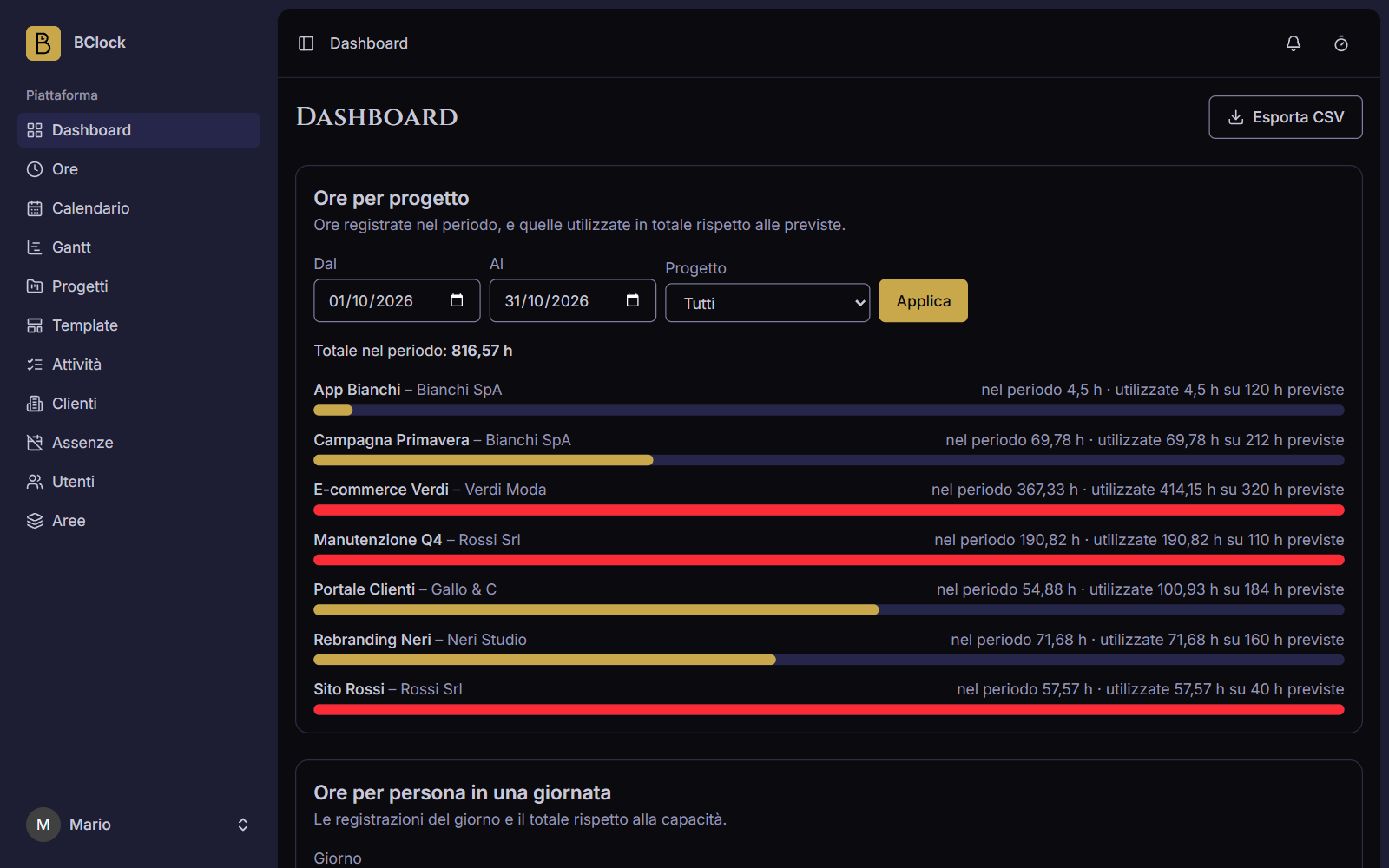
- Dashboard and export: hours by person, project and customer, with CSV export.
- Notifications: real-time bell, a page with the full list, and preferences per type, both in the app and by e-mail.
- Users and roles: Boss, Area head, HR and Employee, each with different permissions. New users receive an invitation by e-mail.
- Personal preferences: language, time format, workload and colour theme, including a custom palette.
Connected AI apps
BClock exposes an MCP server at /mcp/bclock. In an AI app such as
Claude you add the address as a remote MCP server: on the first connection a
consent screen appears where you sign in and authorize the app, which from
then on acts with the person’s own permissions. It can list projects, tasks,
time entries, absences and notifications, log time, start and stop the timer
and request an absence; it cannot delete data, approve absences or change
settings. Authorized apps are listed, and can be revoked, in Settings ›
Connected apps.
Screenshots
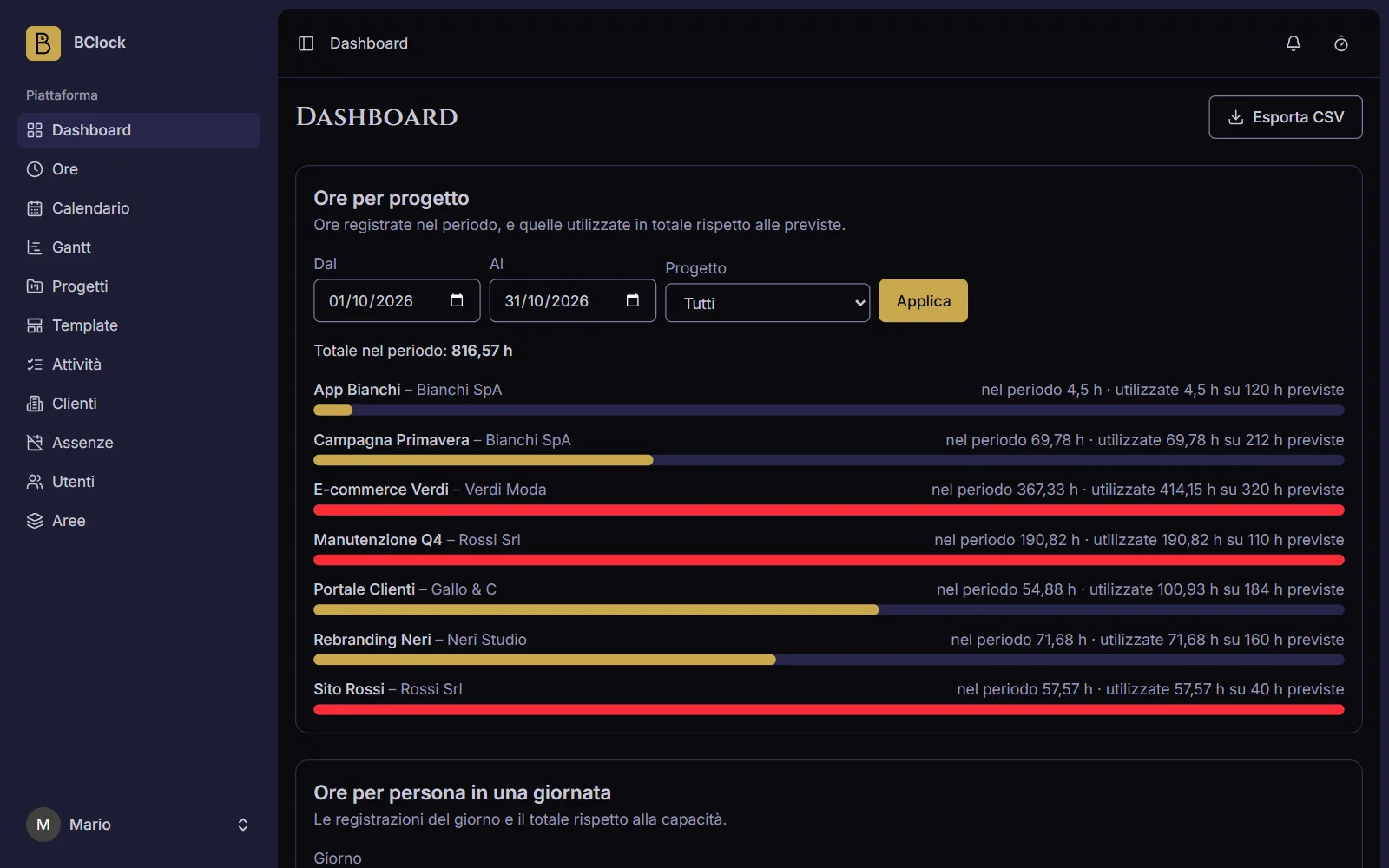 The dashboard: hours logged per project against the planned ones, in red when they’re exceeded.
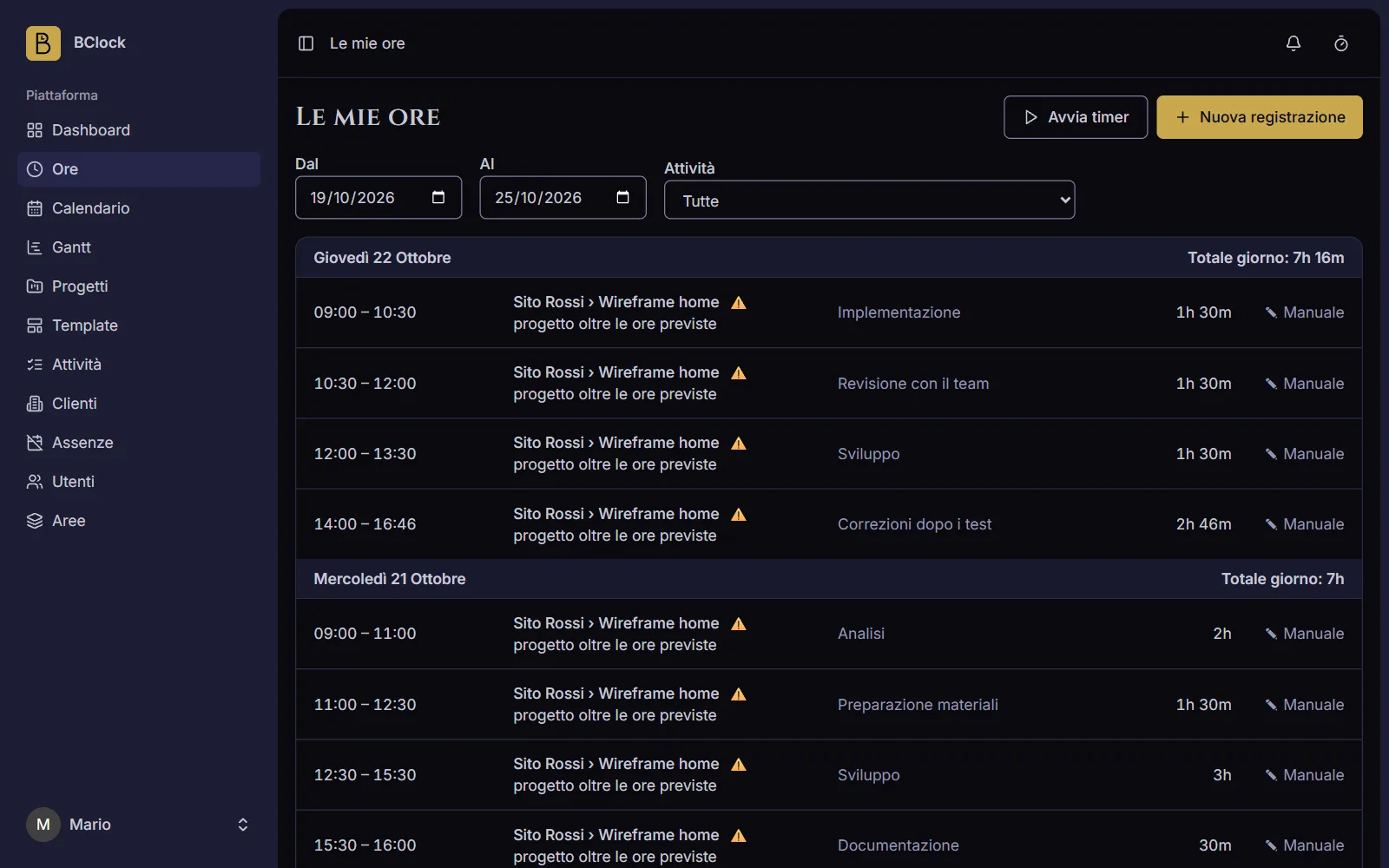 My hours: entries grouped by day, with the timer and a warning on planned hours.
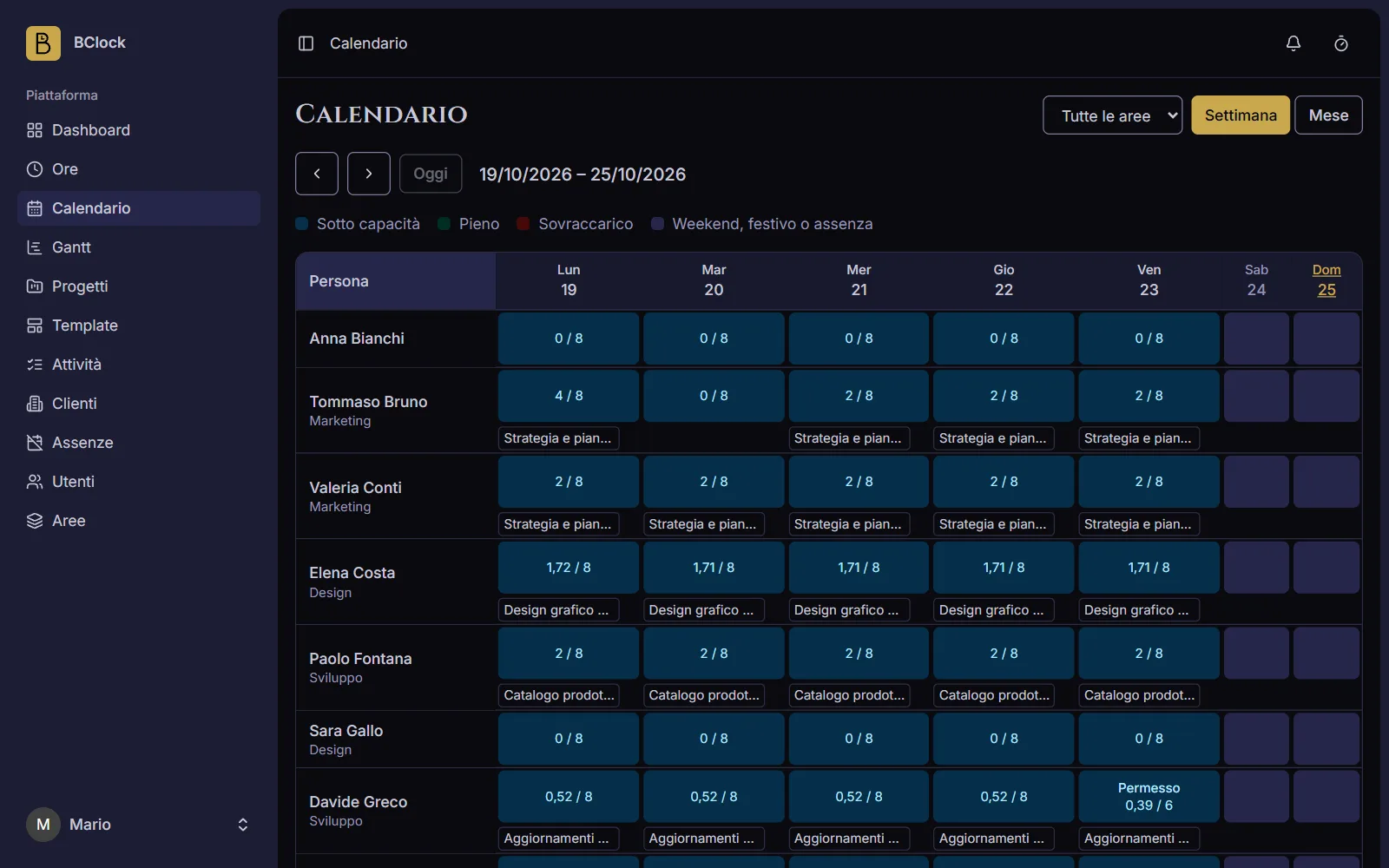 The calendar: each person’s load day by day against their capacity.
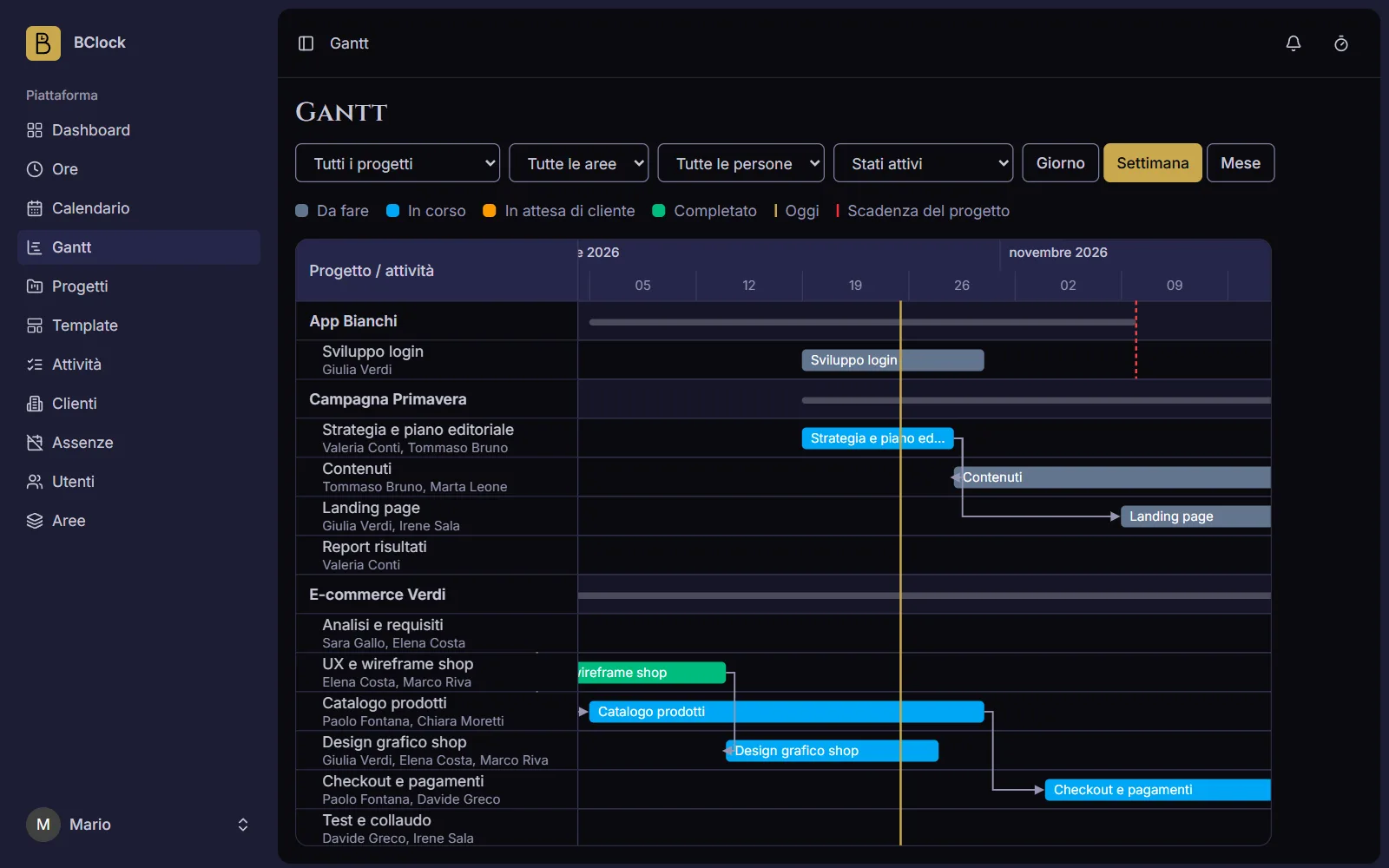 The Gantt chart: tasks with dependencies, filters by project, area and person, and the today line.
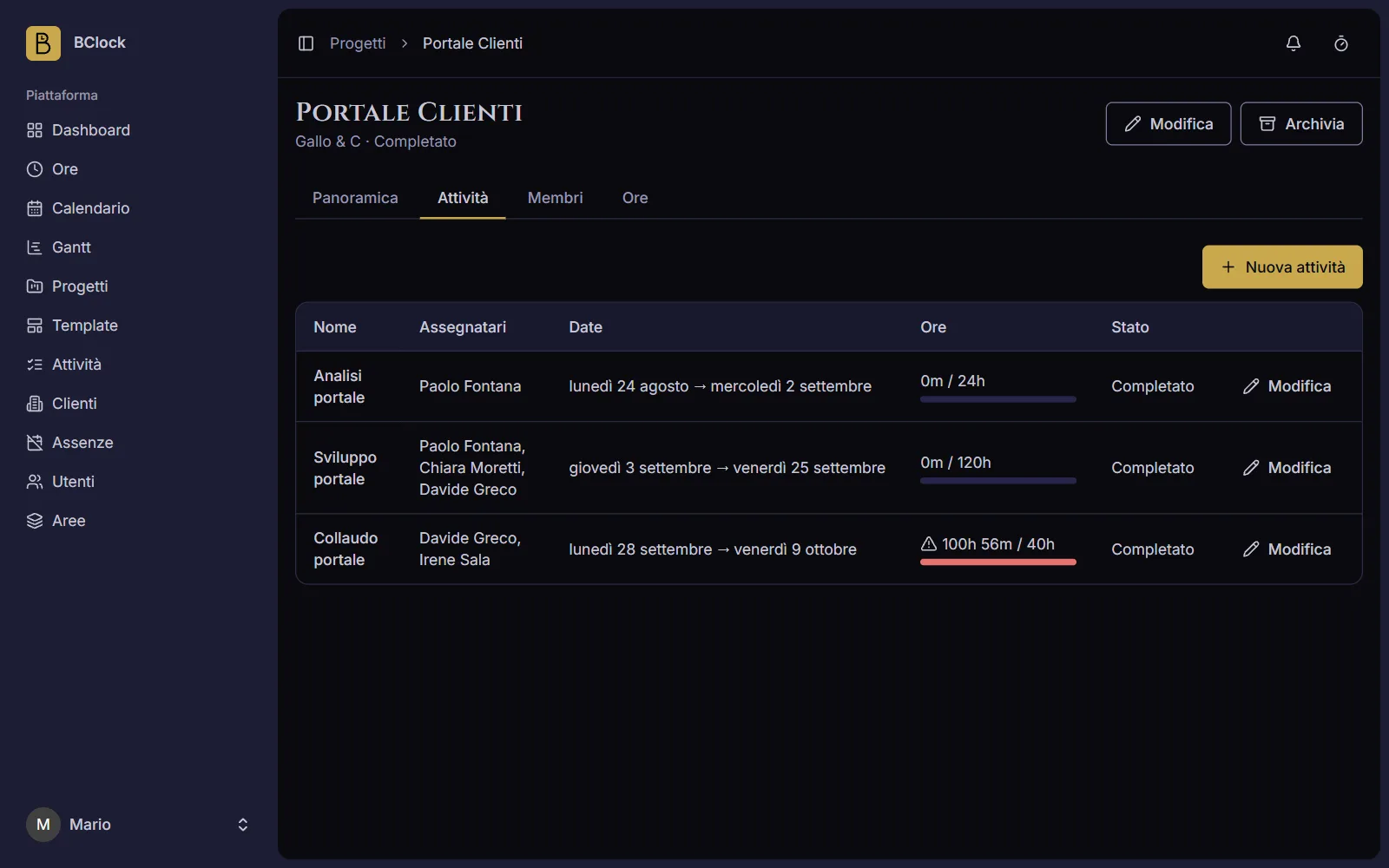 A project: assignees, dates and hours used against planned for each task.
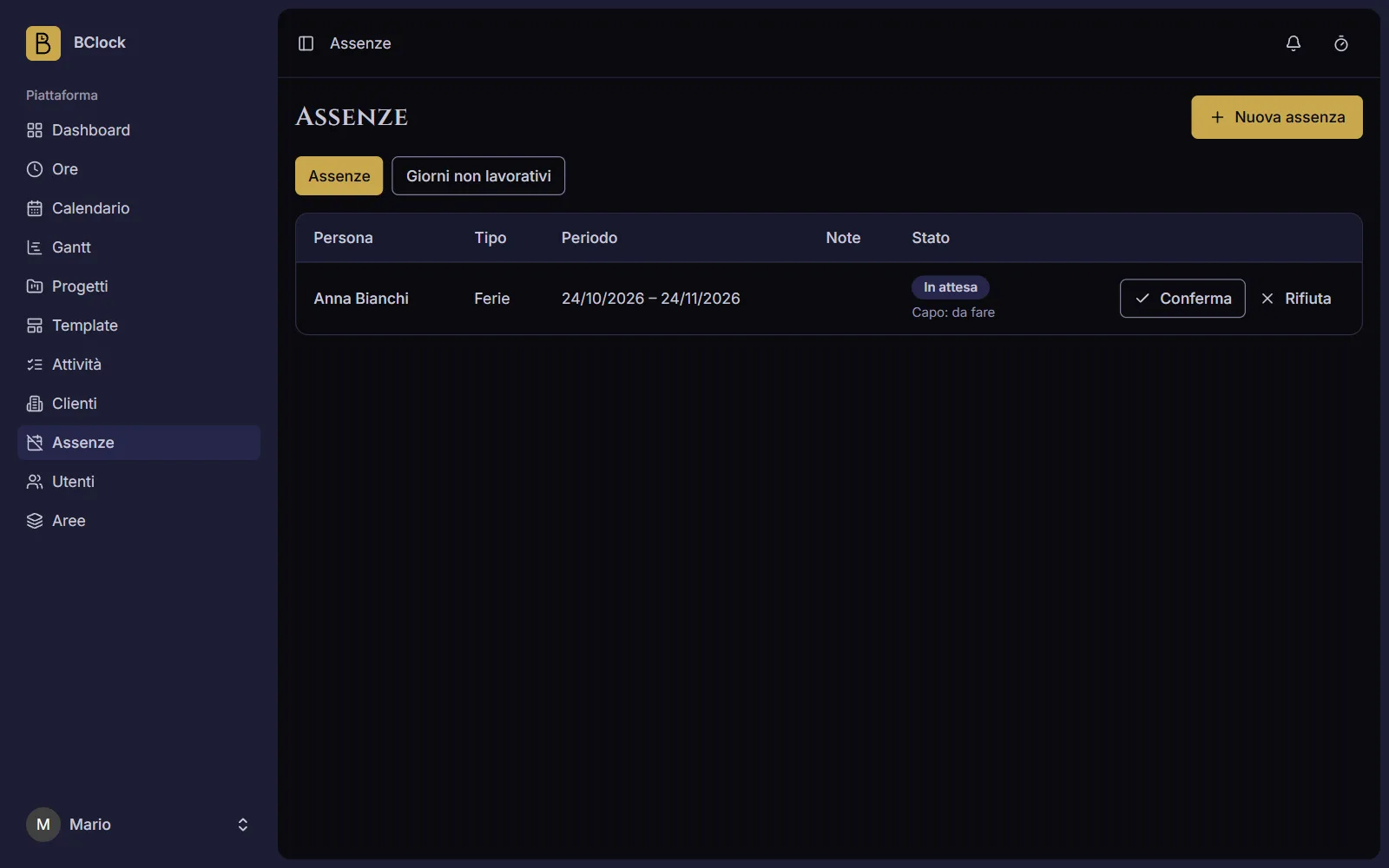 Absences: HR confirms or rejects the requests.
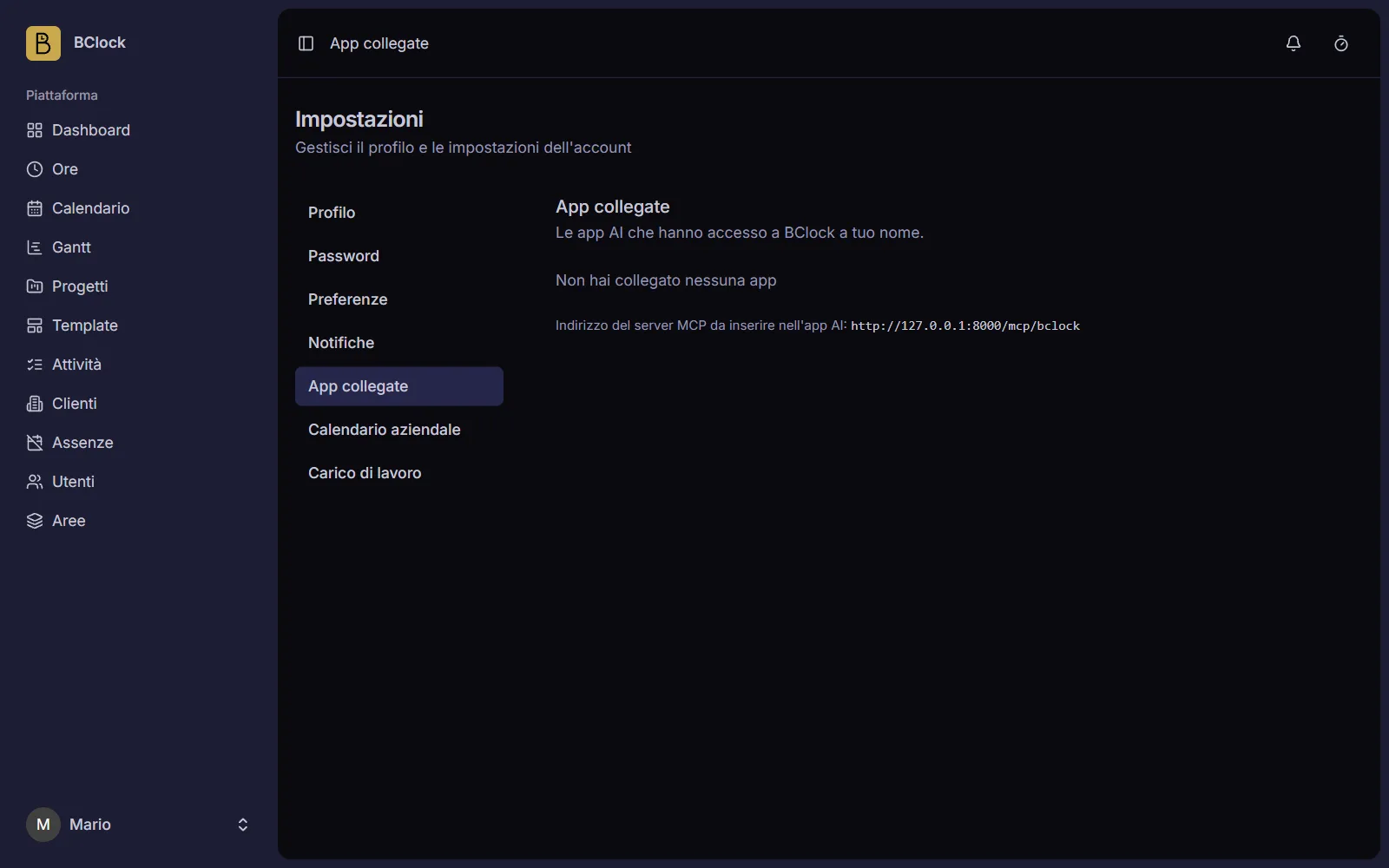 Connected apps: the MCP server address and the list of authorized apps.
Tech stack
The backend is Laravel 13 (PHP 8.4) with a MySQL database; the frontend is Inertia 2 with React 19 and TypeScript, styled with Tailwind CSS 4. Real-time notifications go through Laravel Reverb, and if it isn’t running the app still works: the bell updates on the next navigation. The MCP server uses Laravel MCP with Laravel Passport for authorization, tests are written with Pest, and the interface design is in FigCraft.