NAS File Management
A web app that sits on top of the NAS, either a local folder or an SMB share, and makes it pleasant to use: folder browsing, drag-and-drop uploads, in-browser previews of PDF, Word and Excel files. Every user sees only the files they can access, with read, write and delete permissions per user or per group, and every upload keeps the previous version of the file. Node.js backend with Express and MySQL, React frontend with Material UI.
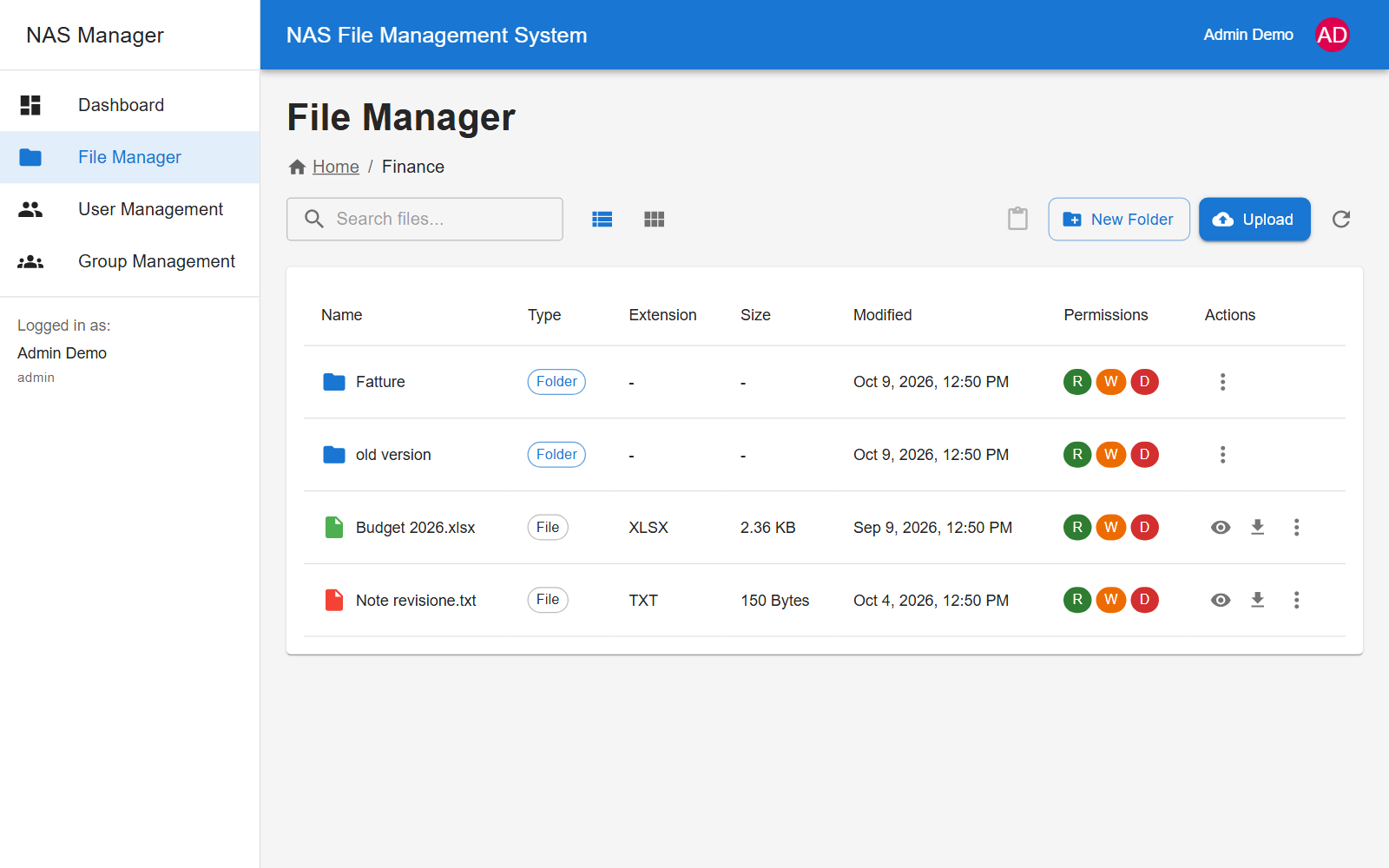
Challenge I solved
A NAS thinks in shared folders, but we needed to hide a single file inside a folder everyone else can see. I built permissions as a chain: if a file or folder has explicit permissions, only those count; otherwise the check walks up to the parent, and the group's default permissions sit at the end of the chain. Every file listing goes through this check, so a restricted file isn't just blocked: for anyone without access it simply doesn't exist. When a folder is moved, the permissions of everything inside it follow it to the new path.
Why I built it
When we had to choose between a NAS and the cloud, I was looking for a middle ground: something that kept our files in-house without giving up the convenience of an online service. The NAS on its own wasn’t enough: its interface was slow, and it couldn’t assign specific roles or make a file visible only to certain people.
That’s how NAS File Management came about: a fast web interface that works directly on the NAS’s files and adds what was missing, namely users, groups and permissions down to the single file, plus a version history so you can get back an earlier copy of any document at any time.
The screenshots come from a local install with test data: a made-up company with HR, Finance, Marketing and IT folders.
Permissions and visibility
Every file and folder can have read, write and delete permissions, granted to a single user or to a group. Folders created through the app copy their parent’s permissions, and an “Inherit from parent folder” checkbox breaks the chain when needed. That way the Finance folder can hold a note visible only to the accounting group, even though the rest of the folder is shared more widely.
Admins see everything; a regular user sees only what their permissions allow, and the R, W and D badges next to every item tell them at a glance what they can do with it. Accounts can be deactivated without deleting them, and groups can carry admin privileges too.
File versions
When you upload a file that already exists, the old one isn’t overwritten: it
moves into an old version folder next to the original, right on the NAS,
and the server keeps a backup copy along with its SHA-256 checksum. Each
version has a number, author, date and an optional comment, and can be
downloaded at any time from the file’s properties.
Screenshots
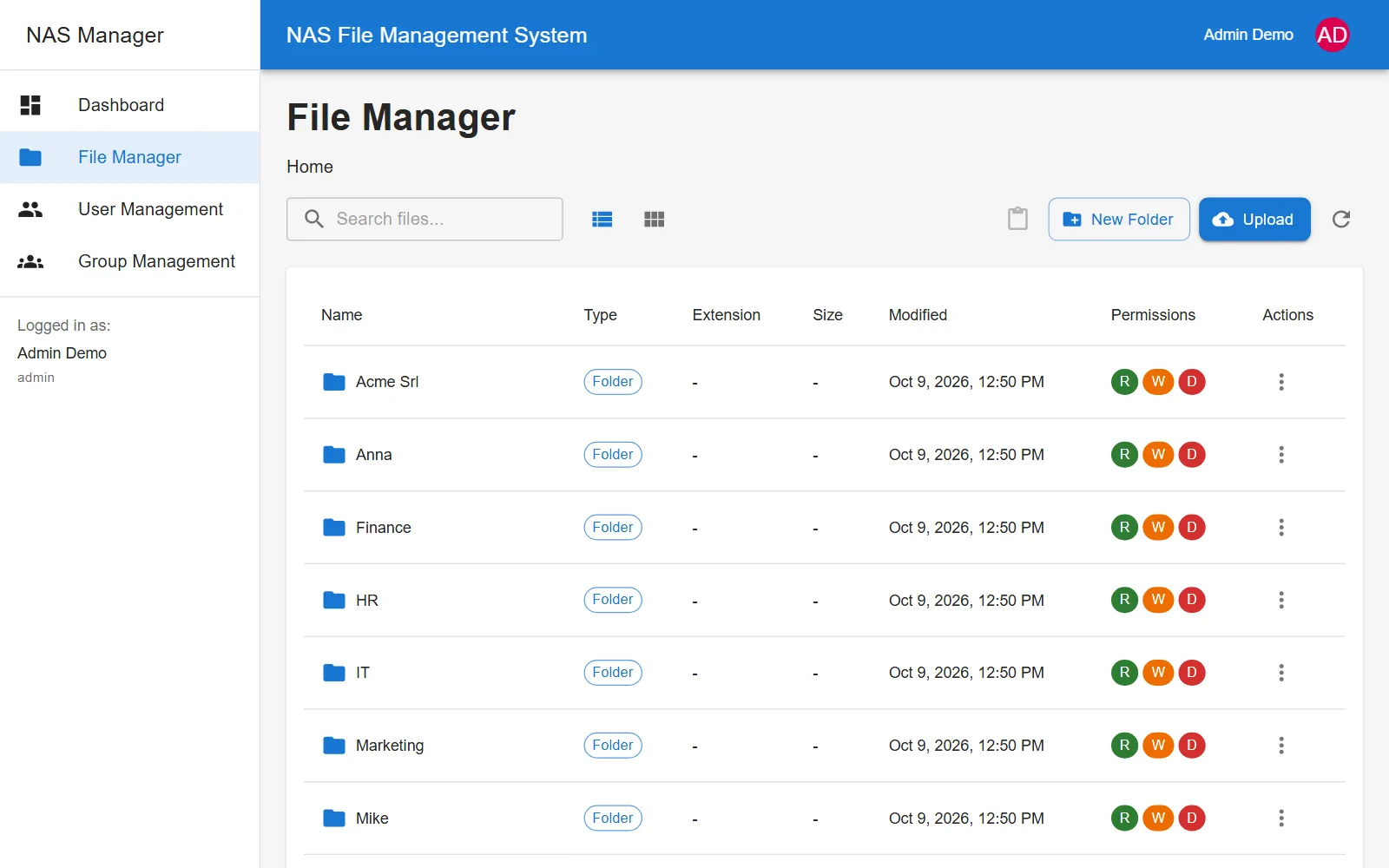 The NAS root as seen by an admin: every folder, with read, write and delete.
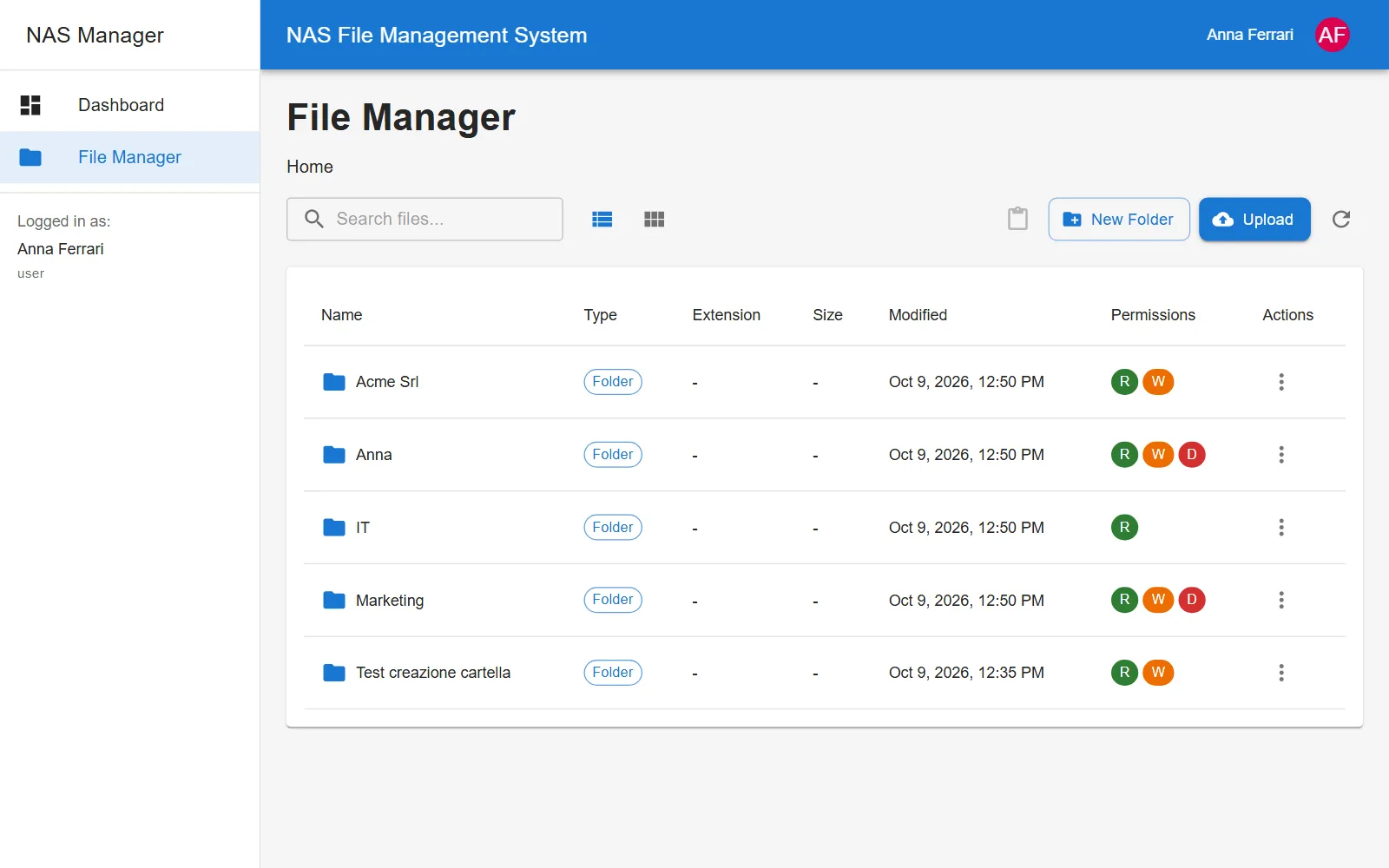 The same root as seen by a Marketing user: Finance and HR don’t show up, and IT is read-only.
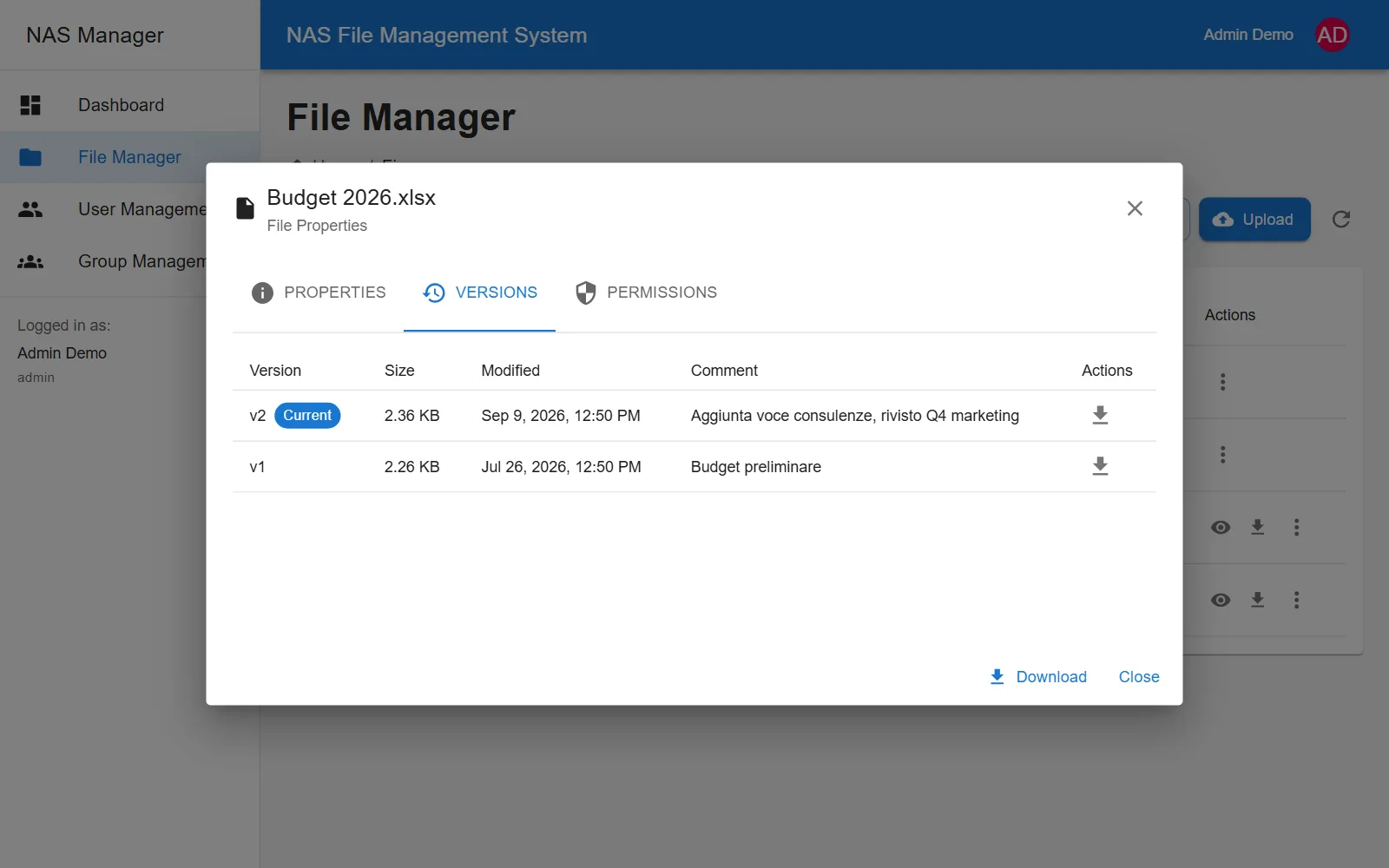 A file’s version history, with a comment and a download for every revision.
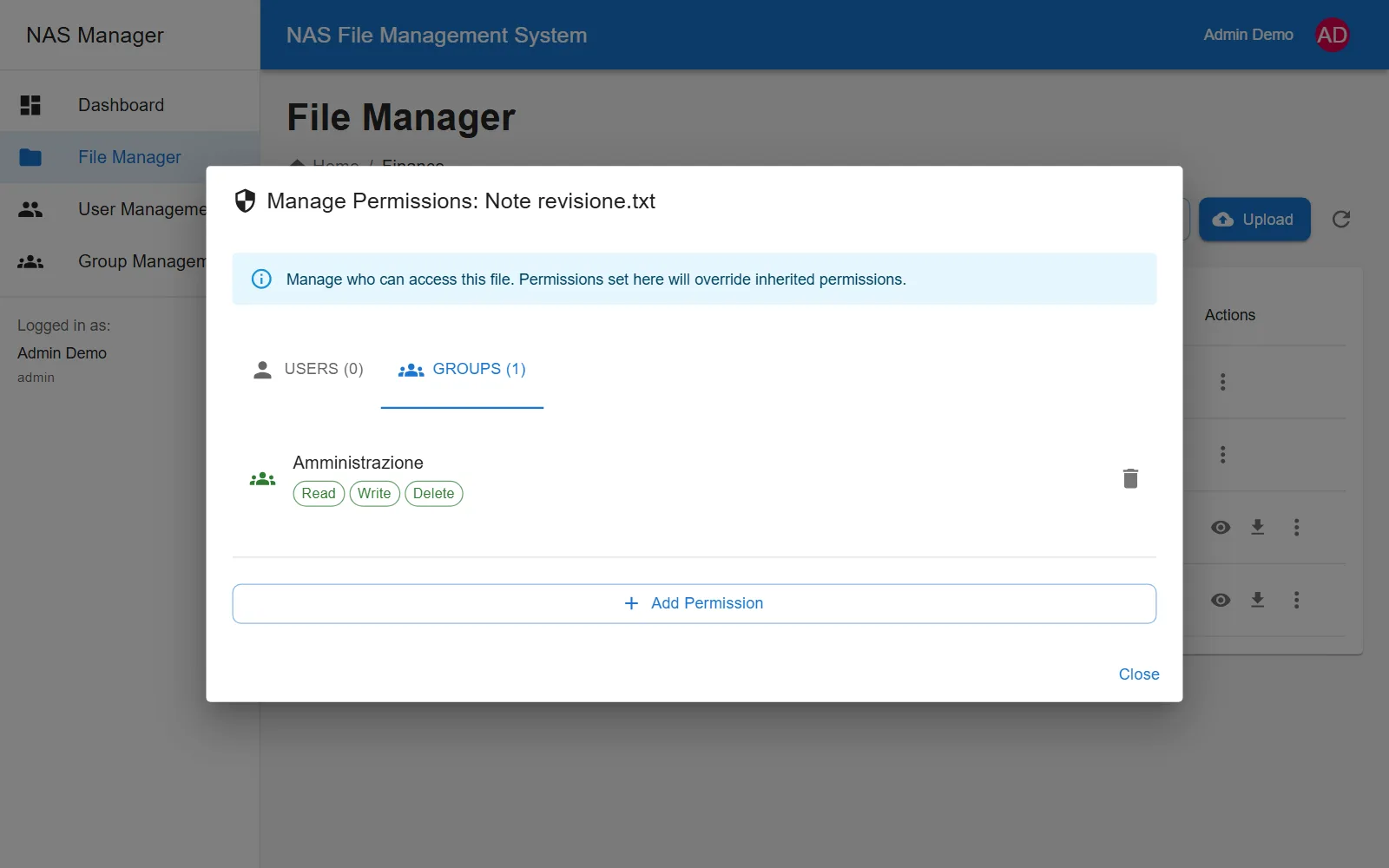 The permissions of a single file: visible only to the Finance group (Amministrazione).
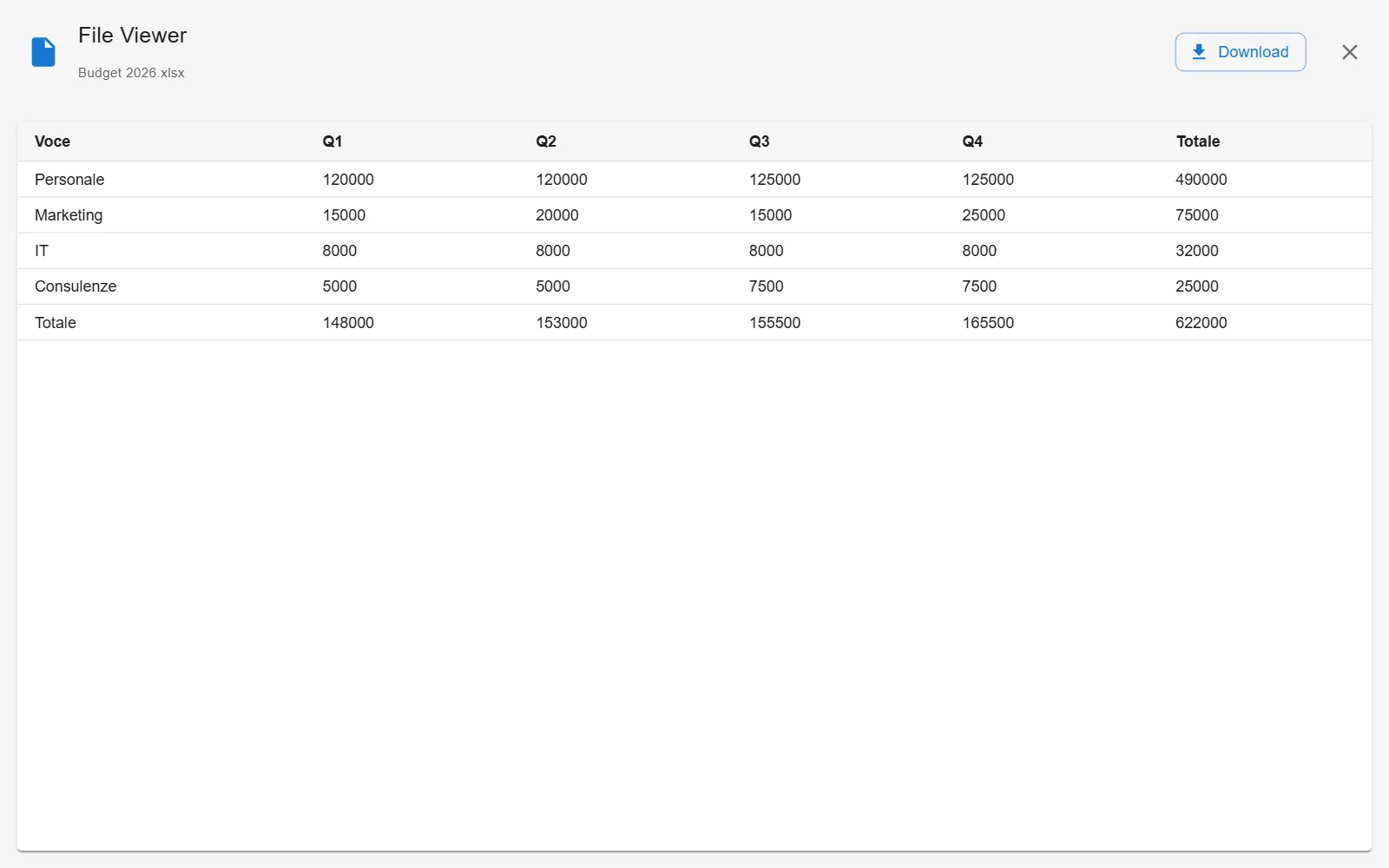 Previewing an Excel file right in the browser, without downloading it.
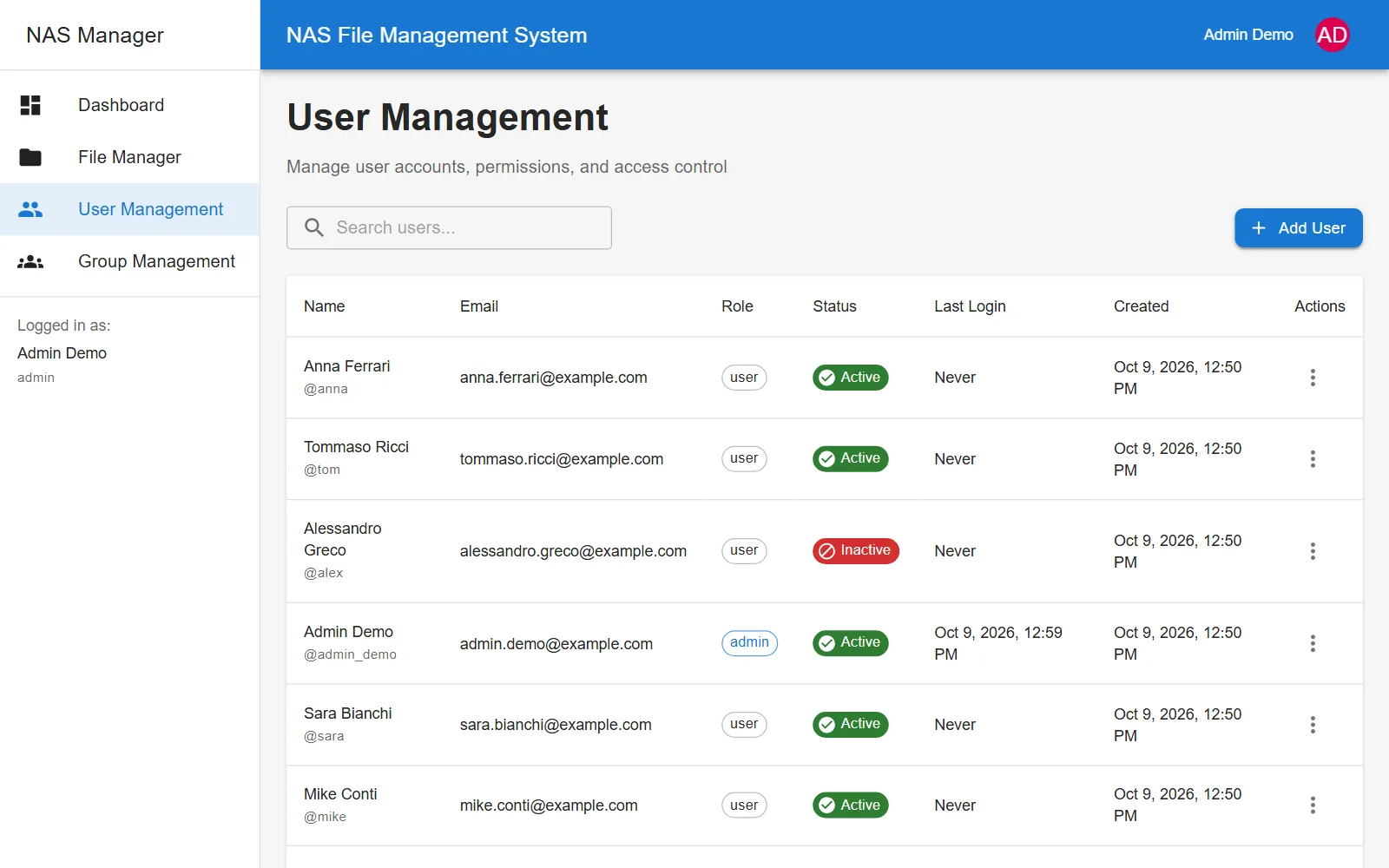 User management, with roles, status and last login.
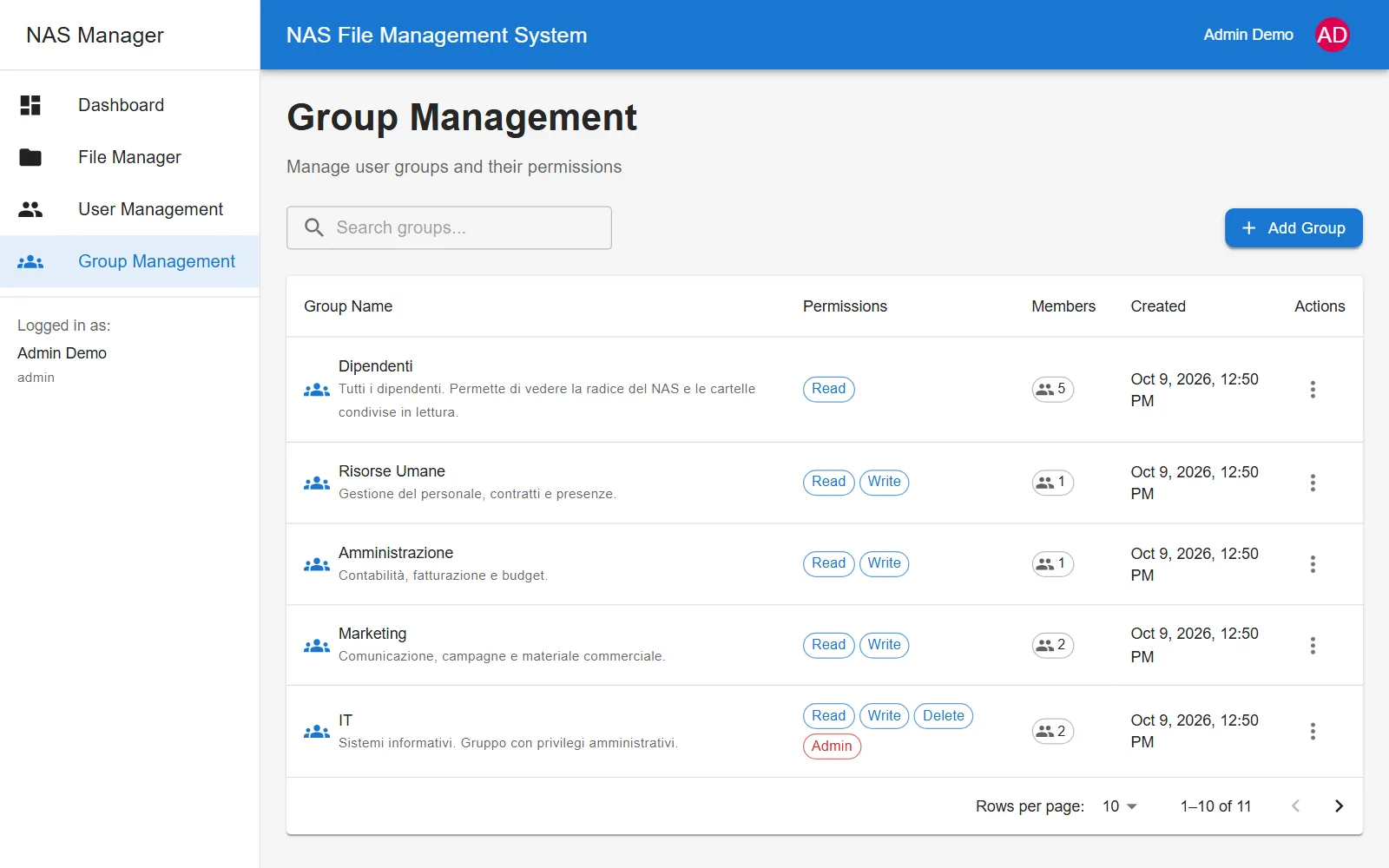 Groups, each with its own default permissions.
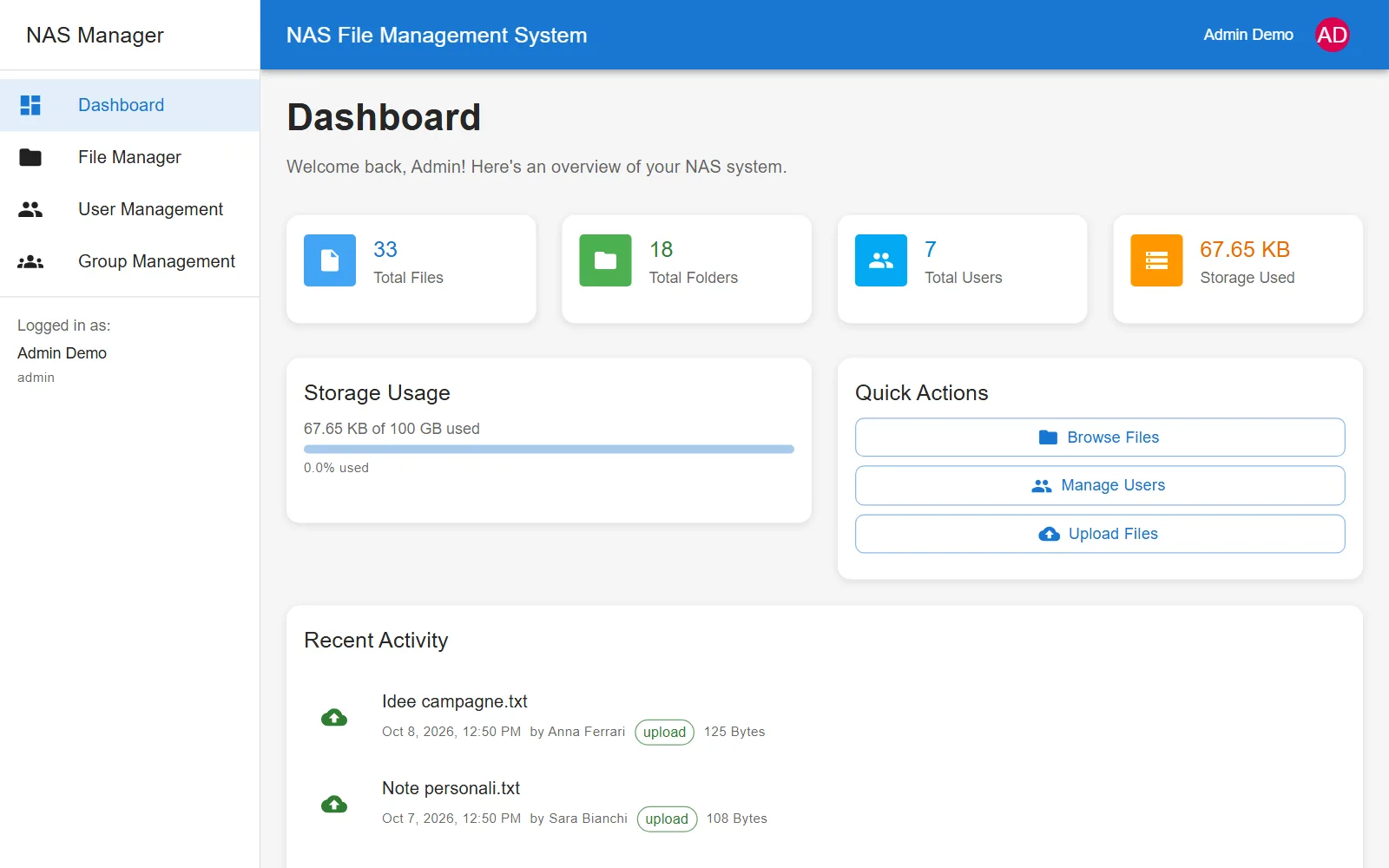 The dashboard: files, folders, users, storage used and recent activity.
Tech stack
The project is a monorepo with separate backend and frontend. The backend is a Node.js API with Express, JWT authentication, rate limiting and Helmet; users, groups, permissions and versions live in MySQL through Sequelize. A dedicated service abstracts the storage: a single environment variable switches from a local folder, handy for development, to the real NAS reached over SMB. A setup script scans the existing folders and catalogs them, so the app starts from whatever is already on the NAS.
The frontend is a React 18 app with Material UI and React Query: list or grid view, search, breadcrumbs, multi-file drag-and-drop uploads, copy, cut and paste with keyboard shortcuts too, and a viewer that opens PDFs, Word documents, Excel sheets, images and text files without leaving the page. The backend tests are written with Jest and Supertest.