Portfolio
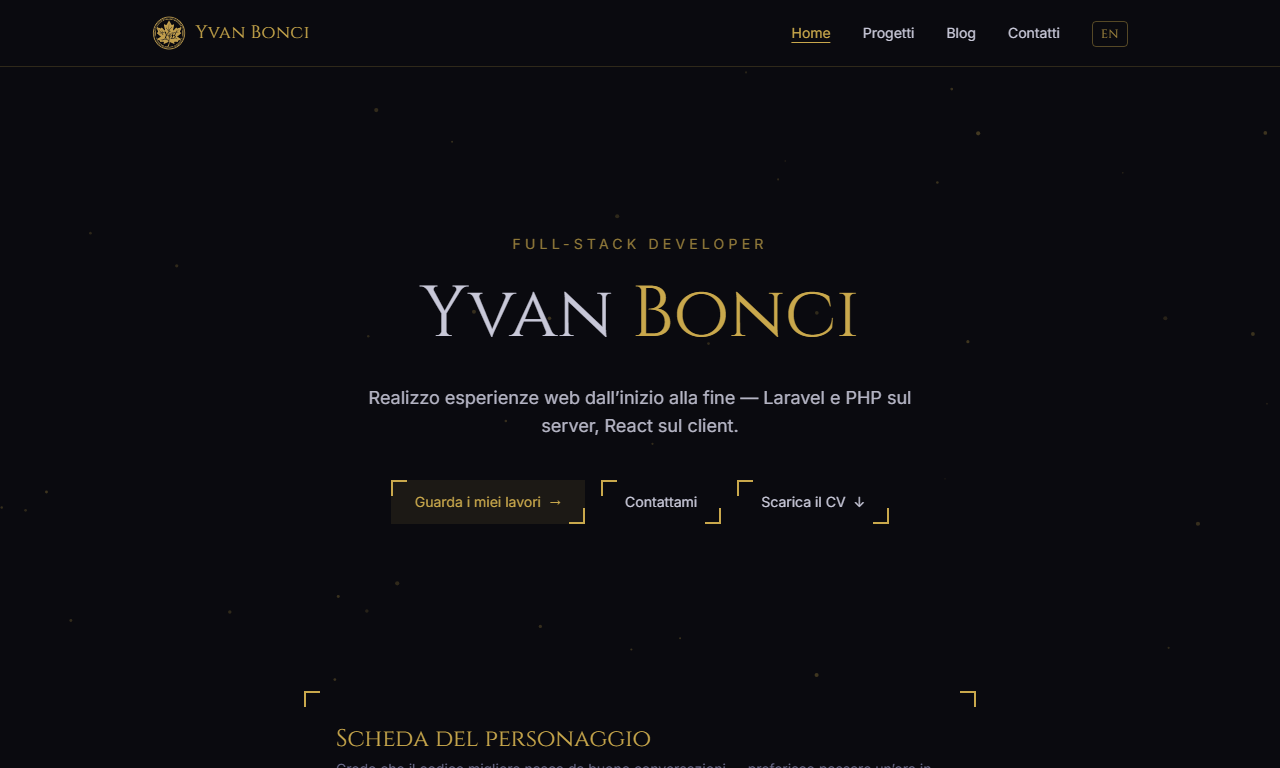
My personal portfolio, built from scratch with Astro and Tailwind CSS in a dark-fantasy aesthetic — distinctive, yet readable and professional. It's bilingual, with a switcher that takes you to the same page in the other language; projects and blog posts are typed content collections edited via Pages CMS without touching git; and deployment is a GitHub Action that builds the site from a private repository and publishes only the output to GitHub Pages.
Challenge I solved
GitHub Pages on a free account only publishes from public repositories, and I wanted to keep the source private. The fix is to split code and site: the code lives in a private repo and, on every push to main, a GitHub Action builds the site and pushes only the dist folder to the public xyvanb.github.io repo, using a token scoped to that single repository. Visitors see the site; nobody sees the source.
Why I built it
A portfolio exists to show off projects, but it’s a project in its own right: it’s the first thing people see of me. I wanted a site that was fast, free of cookies and tracking, and recognisable — a video-game aesthetic, complete with character sheet and experience bars, kept professional and readable. Under the surface, the choices are the ones I’d make for a client: static, accessible, easy to update without touching the code.
How it’s built
The site is generated with Astro in fully static output: every page is an HTML file and there’s no client-side framework. The little JavaScript that runs in the browser is vanilla and hand-written: the particle background on the home page (which stays still when the system asks for reduced motion), the transitions between a project card and its page, and the screenshot gallery on project pages — built at runtime from consecutive Markdown images, with arrows, keyboard, swipe and a lightbox. Without JavaScript the images simply stay stacked one below the other.
Styling is Tailwind CSS 4, with the design tokens — colours and fonts —
defined in a single @theme block. The fonts, Cinzel for headings and Inter
for body text, are served by the site itself via Fontsource, with no requests
to Google. Even the favicons, PWA icons and Open Graph image come out of a
zero-dependency Node script: a small hand-written PNG/ICO encoder with a 5×7
bitmap font that redraws everything in the site’s palette on every
npm run gen:assets.
Bilingual
The site exists in Italian and English through Astro’s i18n routing: Italian
lives at the root, English under /en. The Italian and English versions of
each project share the same filename, so the language switcher only has to add
or remove the prefix and always lands on the matching page. Every page declares
its hreflang alternates, canonical URL and Open Graph meta, and the sitemap
is generated with per-language variants.
Content and Pages CMS
Projects and blog posts are content collections with a Zod schema validated at build time: a missing field or a malformed URL stops the build instead of producing a broken page. Editing goes through Pages CMS, a hosted app that connects to the repository via a GitHub App and writes the Markdown files directly: every save is a commit on the working branch, the interface builds itself from a single YAML file, and there’s no backend to maintain. It’s the same approach as Teyvat Center.
Deployment
GitHub Pages on a free account only publishes from public repositories. The
source, though, lives in a private repo: on every push to main a GitHub
Action installs dependencies with Node 22, builds the site and pushes just
the dist folder to the public xyvanb.github.io repo, with a
least-privilege token that can only write there. Day-to-day work happens on
develop; releasing means pushing develop to main, and that push is the
deploy. A concurrency rule keeps two deploys from overlapping.
Deployment also taught me a lesson: the lockfile generated on Windows didn’t
include the optional Linux binaries, so npm ci failed in CI while everything
worked locally. Regenerating it from scratch fixed it.
Screenshots
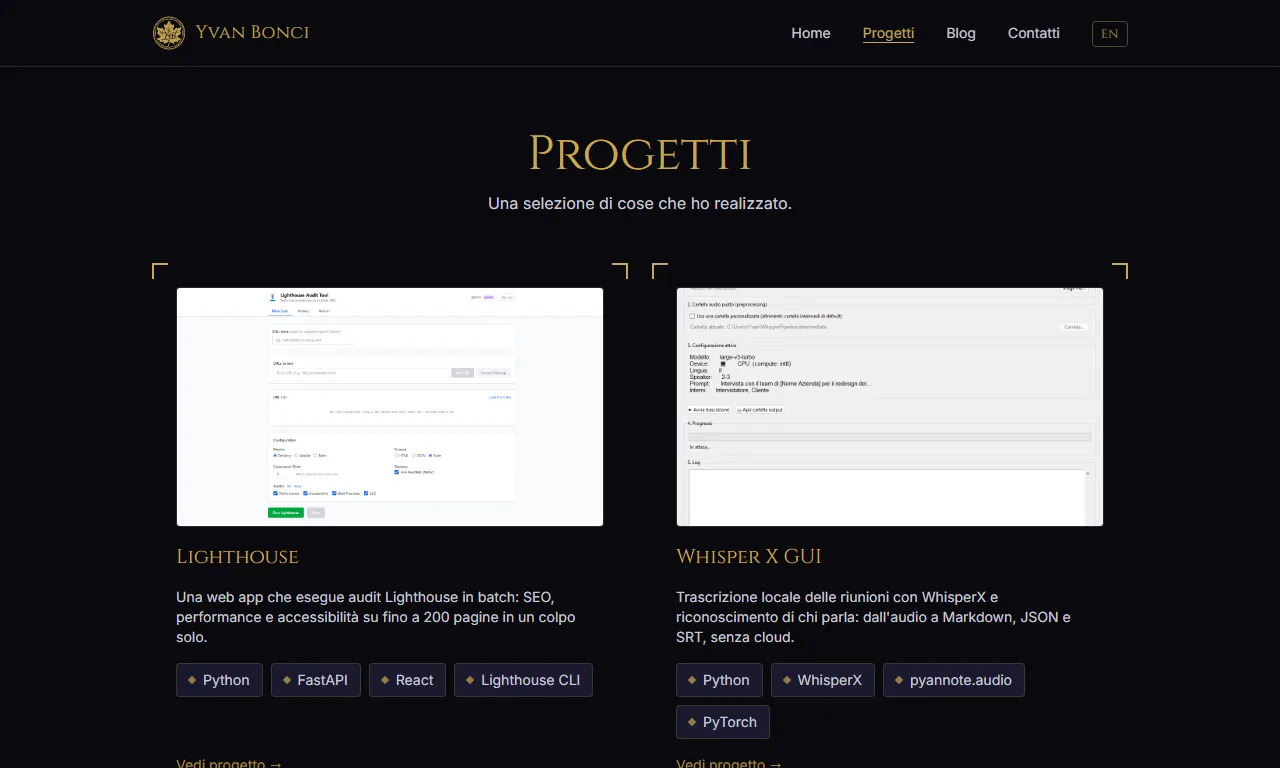 The projects page: one card per project, with screenshot and stack.
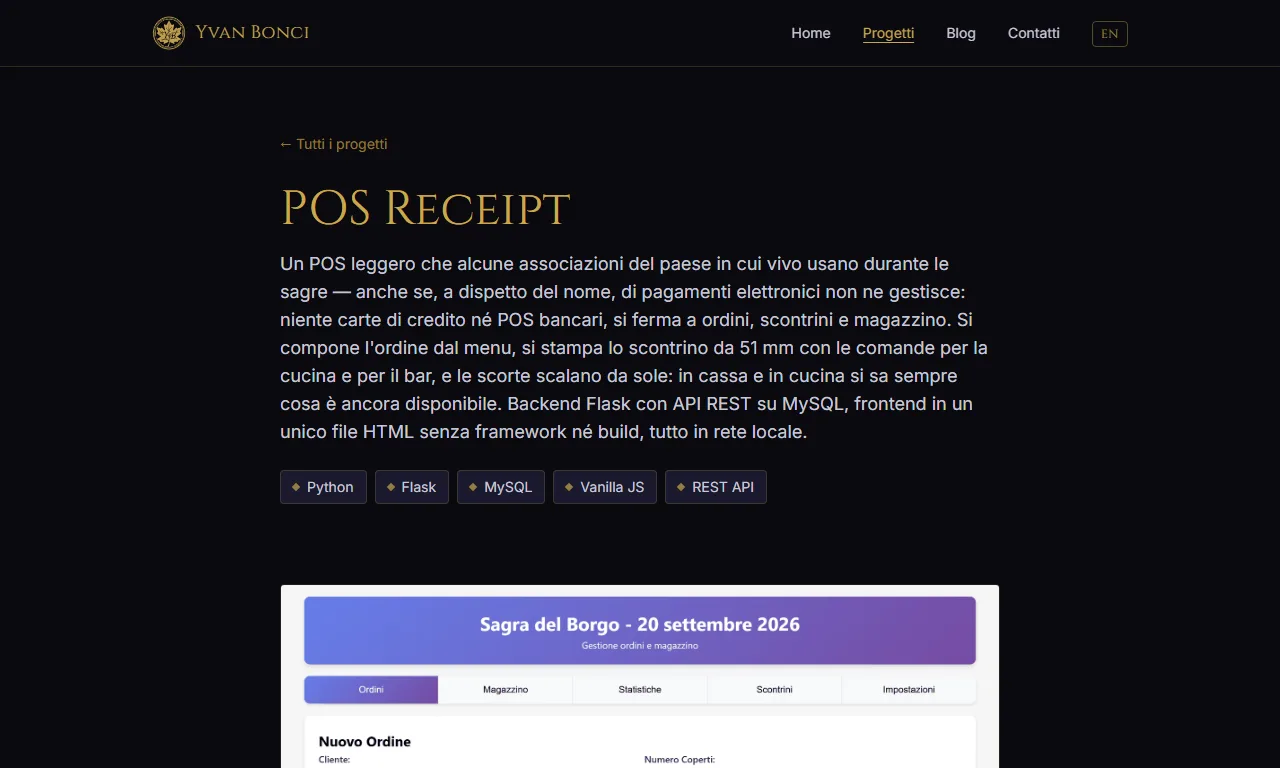 A project page: description, stack and screenshot, with the challenge solved and the gallery further down.
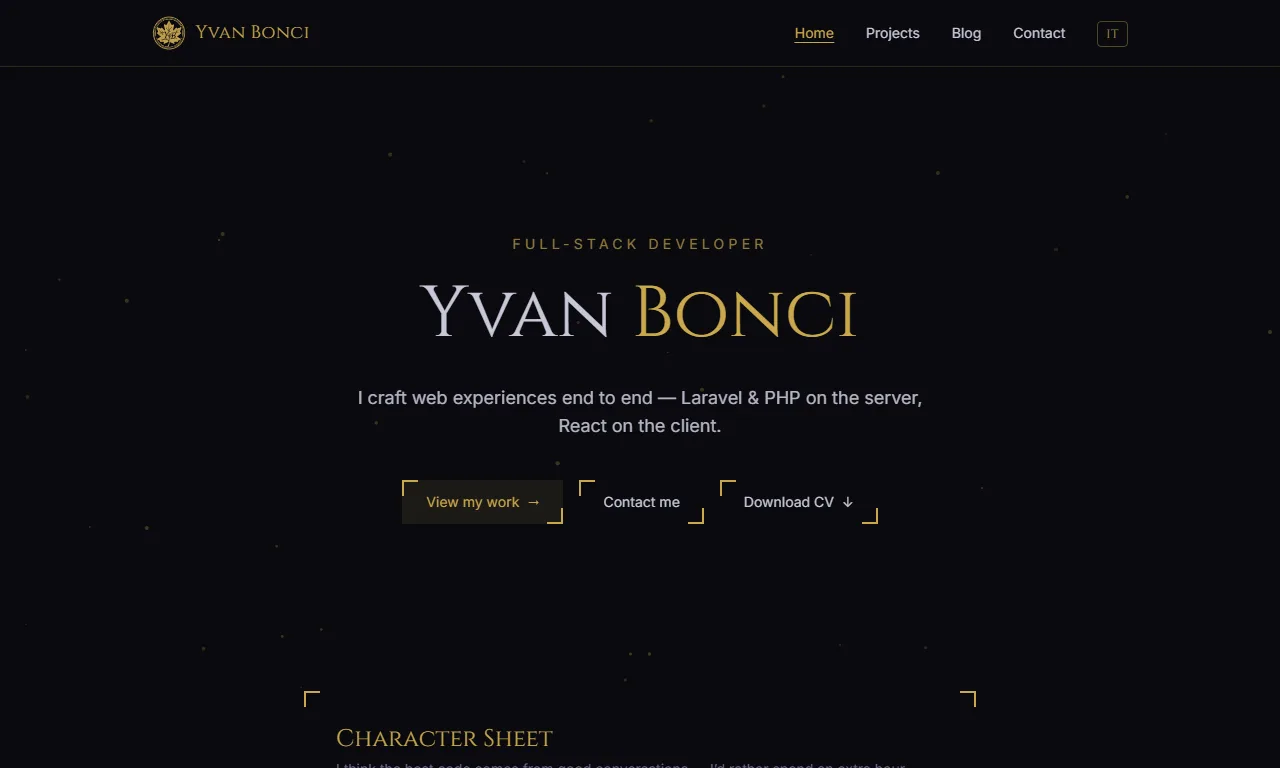 The same home page in English: the language switcher lands on the matching page.
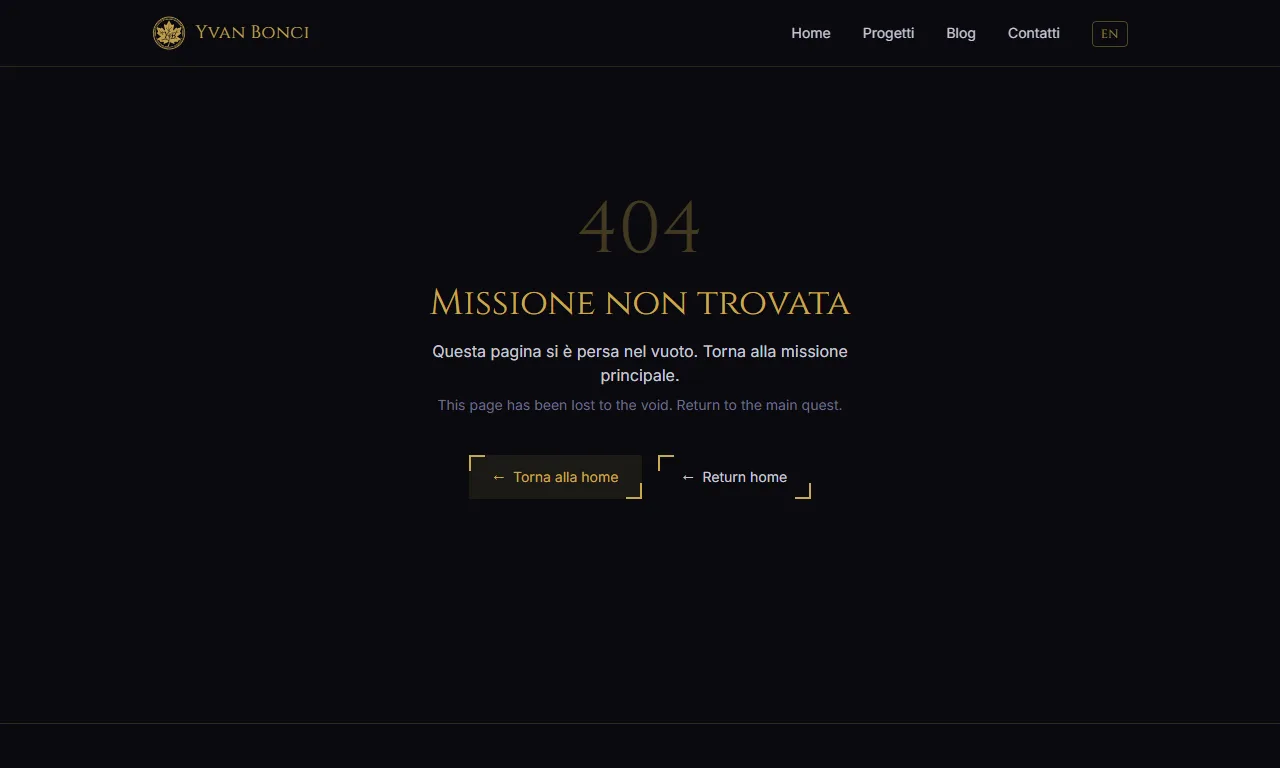 The 404 page, themed like the rest of the site.
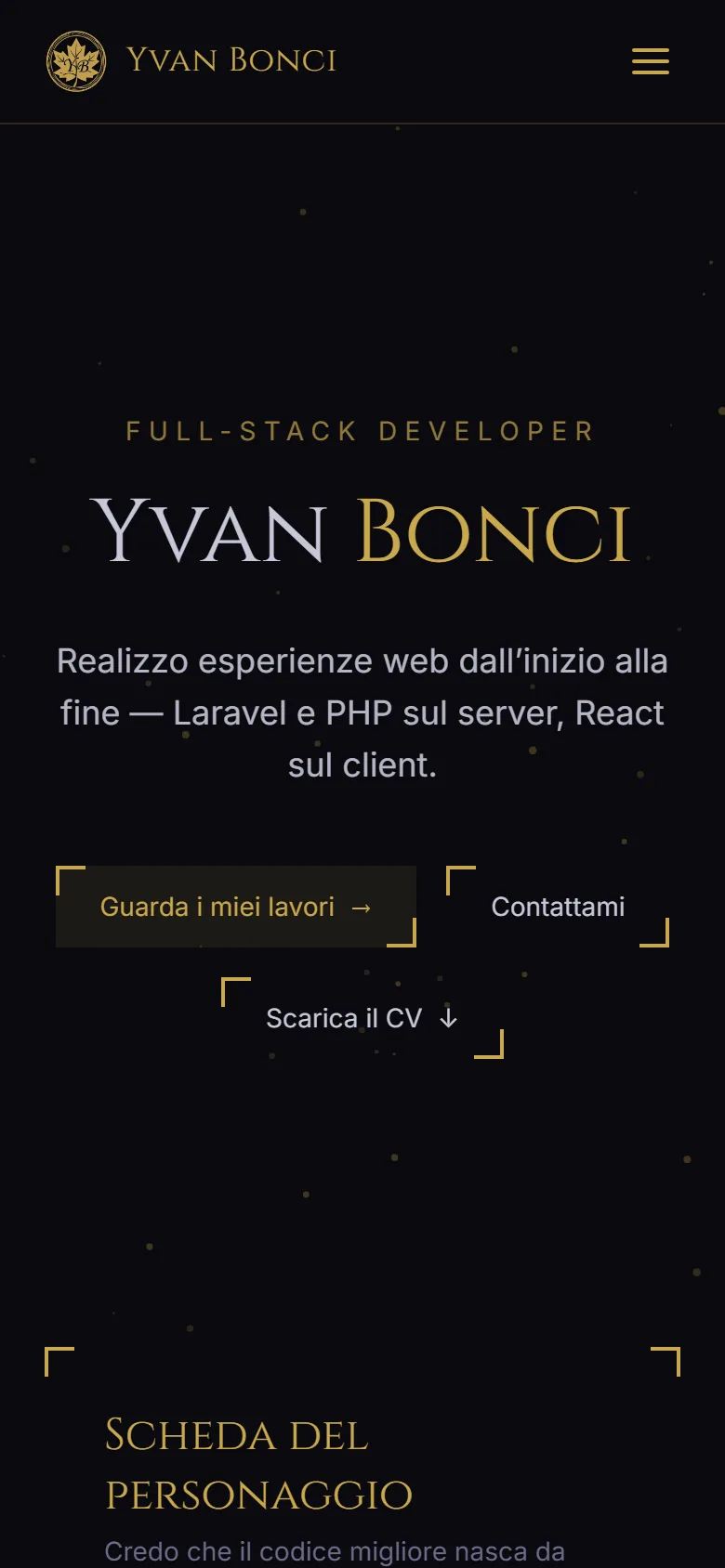 Responsive layout: the home page on a phone-sized screen.