POS Receipt
A lightweight POS that a few associations in the village where I live use during their festivals — though, despite the name, it handles no electronic payments at all: no credit cards, no bank terminals, it stops at orders, receipts and stock. You build the order from the menu, print a 51 mm receipt along with the slips for the kitchen and the bar, and stock counts down on its own: the till and the kitchen always know what's still available. Flask REST API on MySQL, a frontend in a single HTML file with no framework and no build, all on the local network.
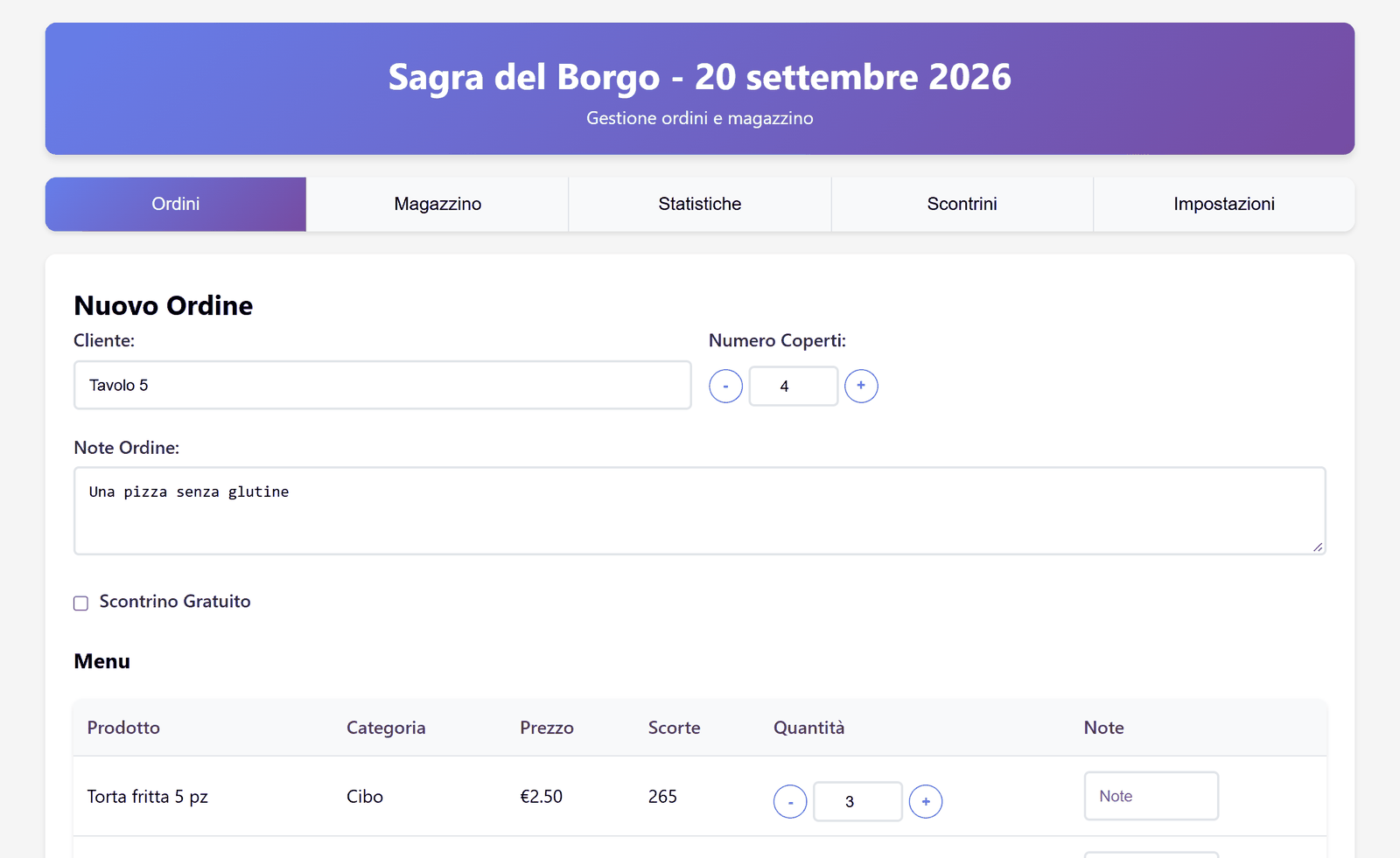
Challenge I solved
It all used to be written by hand. The cashiers noted the order down on a sheet of paper, and every order cost time: time to write it, time to add it up in their head, time with the queue growing behind. One mis-written line or some unclear handwriting was enough for the confusion to reach the kitchen. Then there was stock, which simply didn't exist as a concept: with no running count you could sell a dish that had already run out, and only find out when you had to go back to the customer and undo it. Now the order is built by tapping the menu, the program does the arithmetic, and stock counts down with every receipt: what's gone is visible before you sell it.
What it does
It’s the program a few associations in the village where I live use as a cash register and stock room during their festivals. At the till you take the order, print the receipt and move on; the kitchen cares about one thing only, knowing in real time how many portions of each dish are left. Everything else in the program exists to hold those two things together.
The interface is split into five tabs — Orders, Warehouse, Statistics, Receipts and Settings — and runs on a PC at the till, or on a tablet in the dining area pointed at the same server.
How it works
An order’s whole round trip is this. You pick the products from the menu, set the number of covers and optionally a customer name and a note, then move to the summary: subtotal, cover charge worked out from the headcount and total, with room to fix a quantity or drop a line before confirming. On confirmation, in a single transaction the backend records the receipt and its line items and decrements the stock of every product ordered. From that moment the warehouse is up to date for everyone: anyone looking at the Warehouse tab from another device sees the same quantities.
Then there’s the printing, which is my favourite part. What comes out of the 51 mm thermal printer isn’t a single slip: the first is the customer’s receipt, with the summary and the total, followed by a separate docket for every department involved — the waiter for food, the bar for drinks, the bar for coffee. Each docket carries only its own lines, and is printed only if the order contains something in that category: a round of beers produces no docket for the kitchen. They all come out on the same strip, separated by the dashed lines you tear along, and the page is set to a fixed width with automatic height, so it comes out exactly as long as it needs to be and wastes no paper.
Every receipt stays browsable, searchable by customer name and reprintable from its own tab; if one gets deleted — a mistaken order, a customer changing their mind — the quantities go back into stock, because deletion runs the inverse operation and credits the units back.
The Warehouse tab handles products: price, stock on hand, category, creation and deletion. The order they appear in on the menu is changed by dragging them around, which sounds like a detail but matters a lot at the till: you want the popular dishes at the top, and that changes from one festival to the next. Statistics gives the summary of takings, covers and dishes sold — printable too, handy at the end of the night — with the option to reset everything before the next event. Settings holds the name, address, event date and cover charge, which is what ends up in the receipt header, along with the categories and products.
How it’s built
The backend is Python with Flask: a REST API over MySQL and a little over a dozen endpoints, with the delicate operations — creating and deleting a receipt — wrapped in a transaction, so stock levels and order lines can never drift apart. The schema is four tables plus settings, with foreign key constraints that stop you deleting a product that already appears on a receipt.
The frontend is deliberately bare: a single HTML file with the CSS and
JavaScript inside it, no framework, no build step, nothing to download. You
open it in a browser and it works. That choice comes from looking at where it
actually runs — a borrowed laptop, under a marquee, often with no internet —
and where the only thing that counts is that it starts on the night of the
festival. On Windows a .bat file launches the backend, the frontend and the
browser page: double-click and you’re working. Other devices point at the
server’s local IP and see the same data.
Screenshots
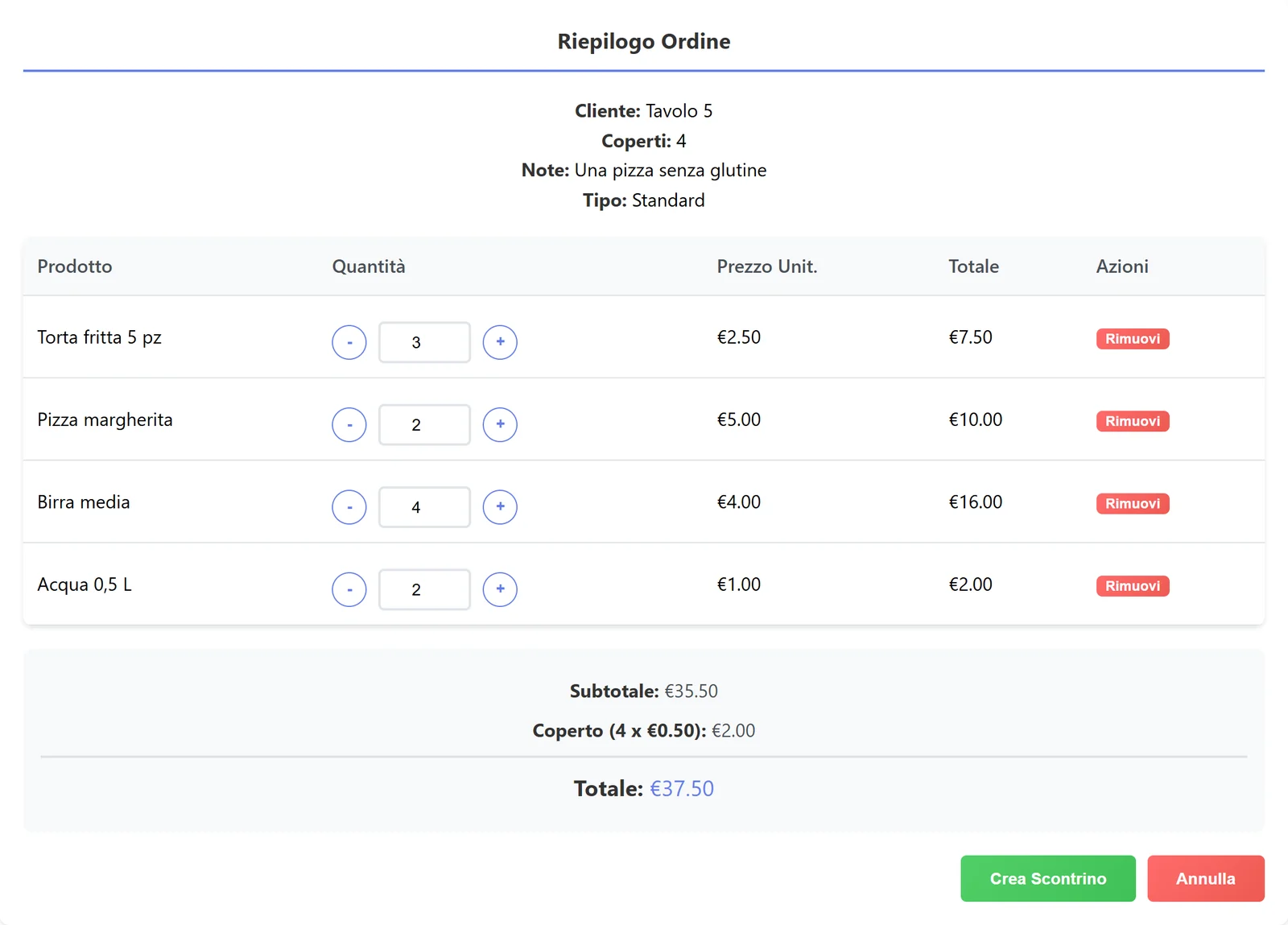 Summary: subtotal, cover charge from the headcount and total, still editable.
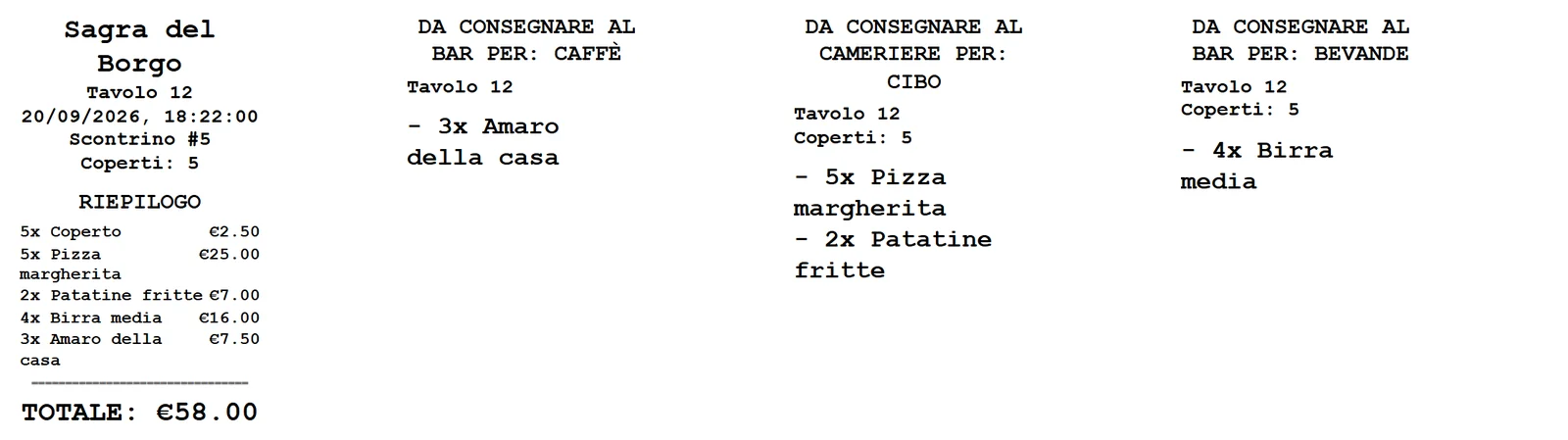 Printing: the customer’s receipt plus one docket per department involved.
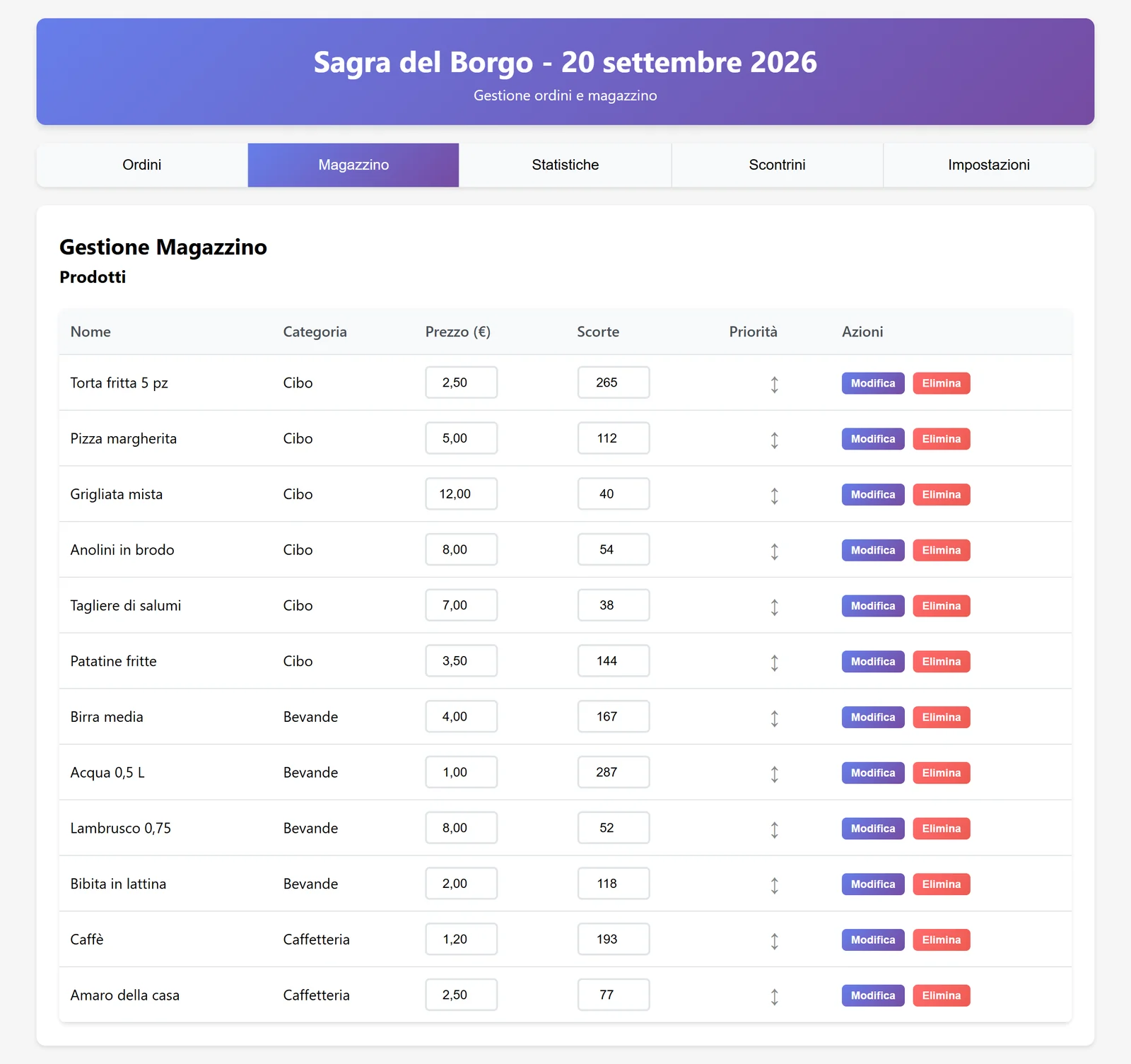 Warehouse: prices and stock editable on the spot, menu order by dragging.
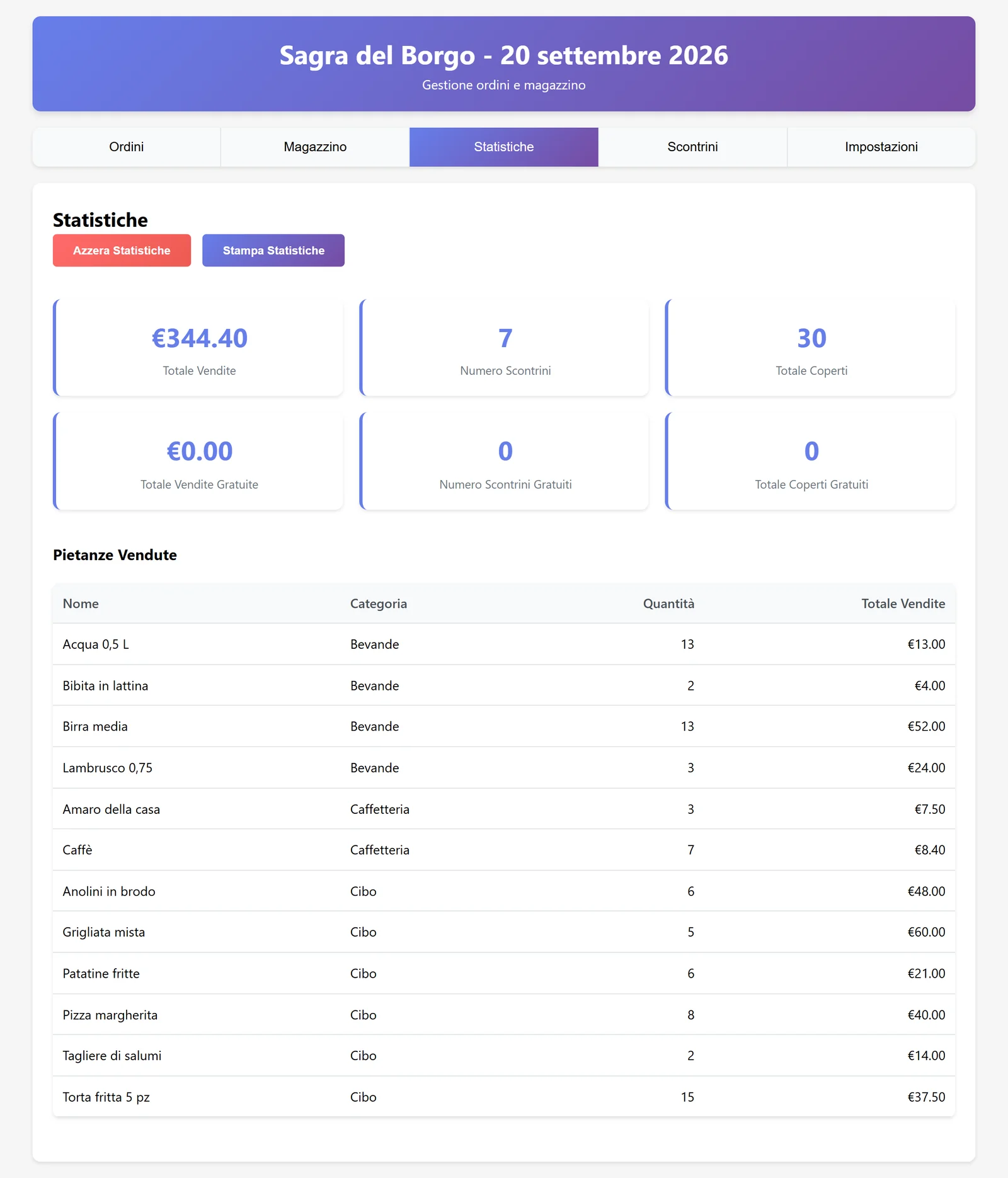 Statistics: takings, covers and dishes sold, resettable at the end of the event.
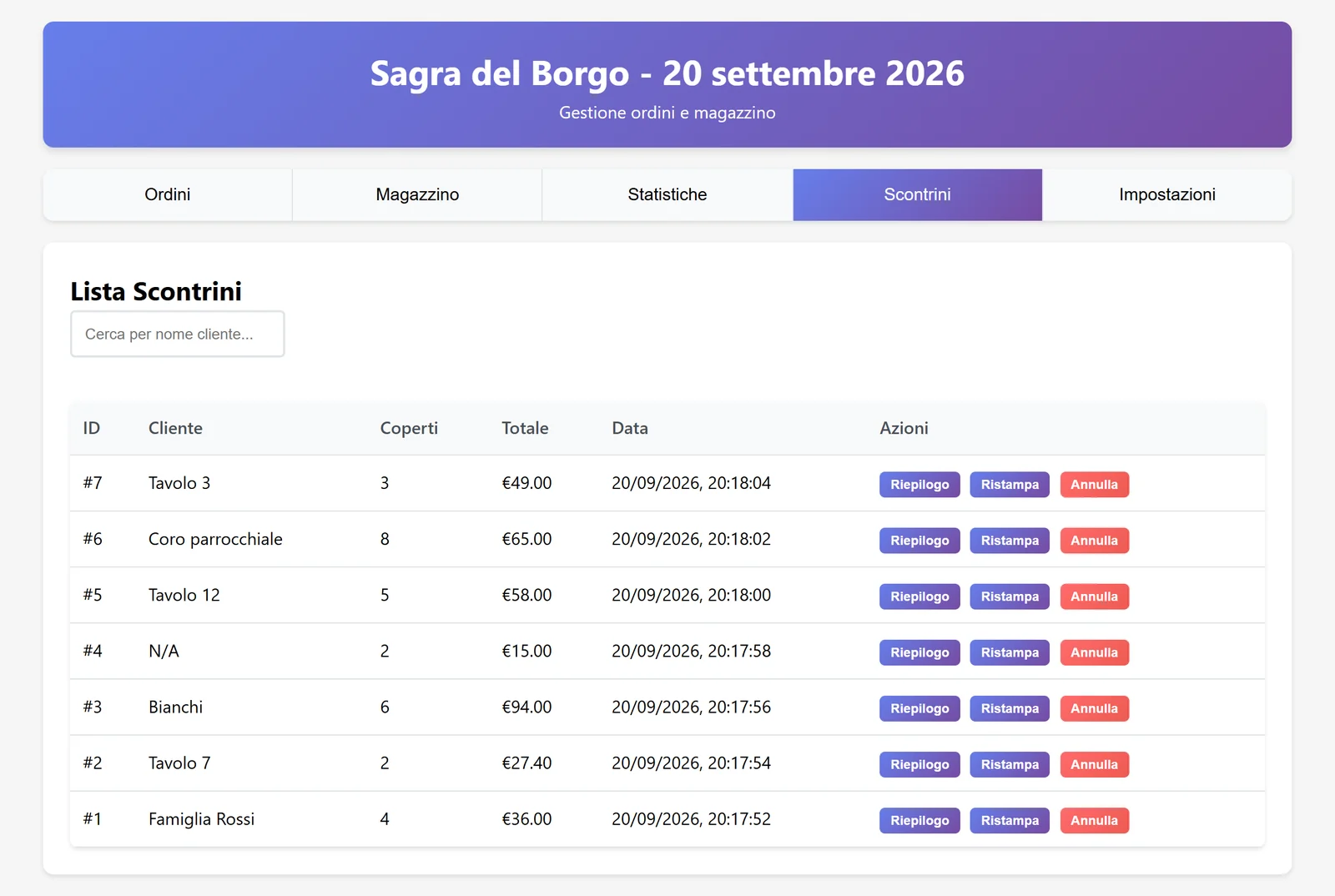 Receipts: search by customer, reprint, and cancellation that restores stock.
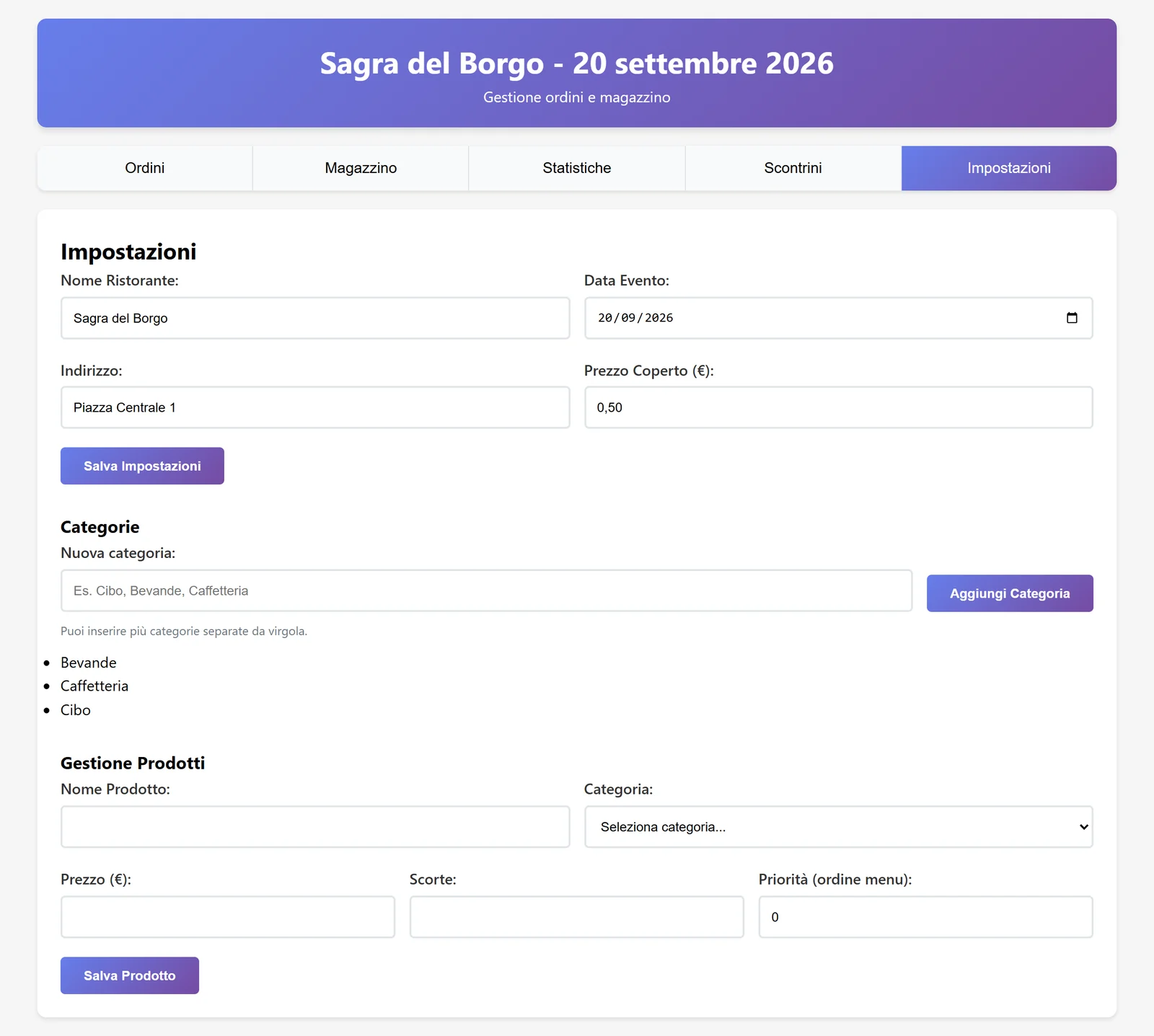 Settings: receipt header, cover charge, categories and products.