SDS Manager
A web app where every company gets its own space on a dedicated subdomain: a catalog of chemical products with CAS numbers, safety data sheets as PDFs with versions and languages, and an automatic analysis that sends each upload to Claude on AWS Bedrock and extracts its GHS pictograms. Laravel 13 and Inertia with React and TypeScript, three roles and no public sign-up. Still in development.
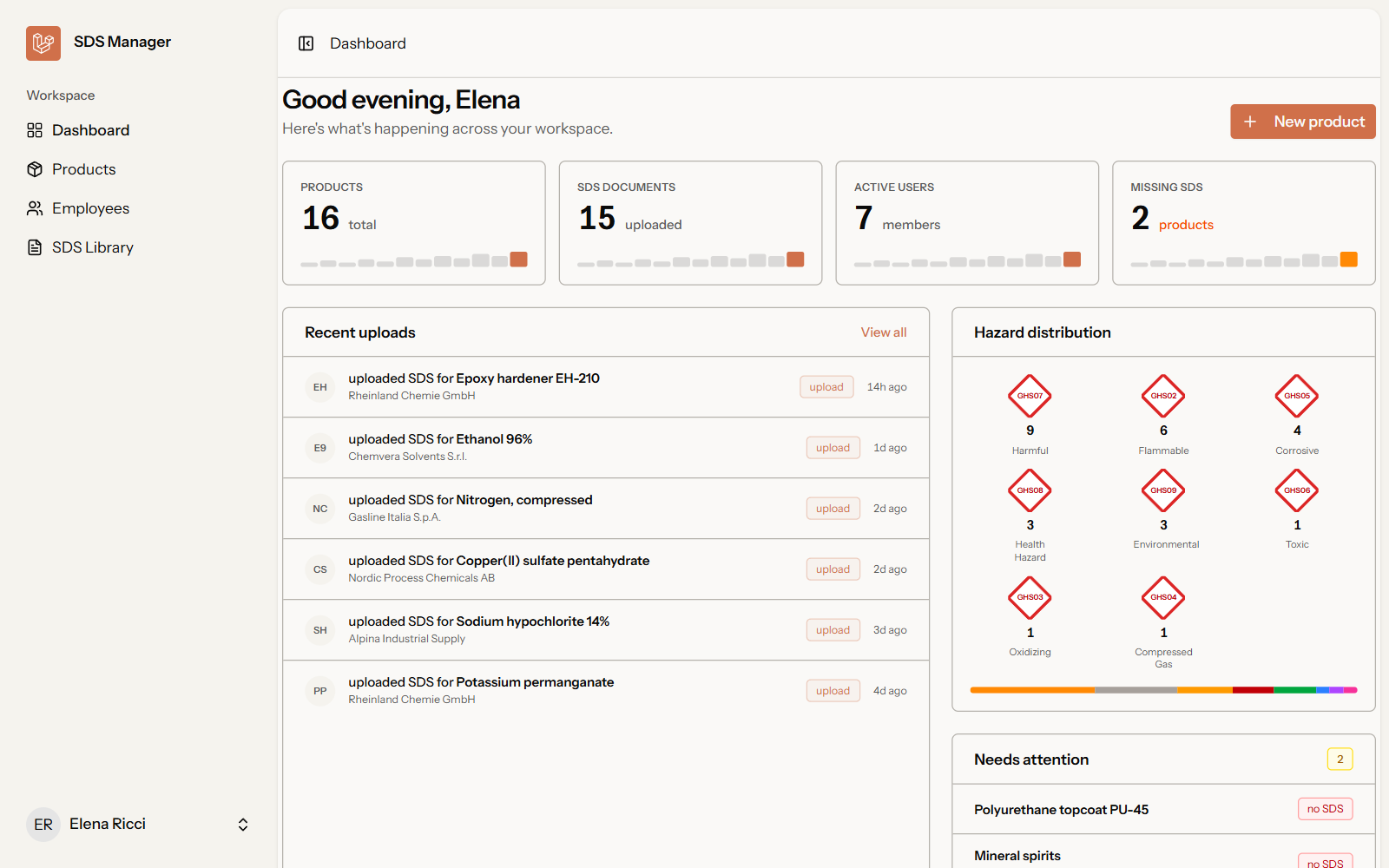
Challenge I solved
All companies live in the same database, so a single forgotten filter would be enough to show one company another company's sheets. Rather than relying on discipline, I made isolation automatic: a middleware identifies the company from the subdomain, an Eloquent global scope adds the filter to every query on company-owned models, and a trait fills in tenant_id on every insert. A dedicated test suite tries to read another company's data and checks that it can't.
Why I built it
Anyone working with chemicals needs their safety data sheets (SDS) up to date and close at hand: dozens of PDFs per product, supplier, version and language, which usually end up scattered across shared folders and email attachments. SDS Manager gathers them into a single archive per company, linked to the product catalog, and adds the tedious part nobody wants to do by hand: reading every sheet to find out which hazards it flags.
Each company (tenant) has its own subdomain — acme.domain.app — with its
own users, products and documents; the super-admin panel lives on the main
domain instead. The project is still in development and not online: the
screenshots come from a local install with test data.
The AI analysis
When an admin uploads a sheet’s PDF, the file lands in a folder reserved for that company and a queued job kicks off. The job sends the document to Claude 3 Haiku on AWS Bedrock, in the Frankfurt region so the data stays in Europe, and asks it for one thing only: the list of GHS pictograms present, as JSON. The answer is then filtered against the enum of the nine valid pictograms, so a code the model makes up never reaches the database.
Each document moves through pending → processing → completed (or
failed): the job retries up to three times with growing delays and stores
the error if it still fails. In the interface a badge polls the status every
three seconds with Inertia 3’s useHttp hook, so the pictograms show up on
the product page without a reload. If needed, an admin can rerun the
analysis with one click.
Roles and access
There’s no public sign-up. The super-admin creates companies and their administrators; a company’s admin manages products, sheets and employees; an employee can browse and download sheets but not change them. Roles are a PHP enum on the user model and permissions are Laravel Gates and Policies, with no third-party packages. Employee accounts are born with a random password nobody knows and must pick their own on first login. Login is tied to the domain too: on a subdomain only that company’s people can sign in, on the main domain only the super-admin.
Screenshots
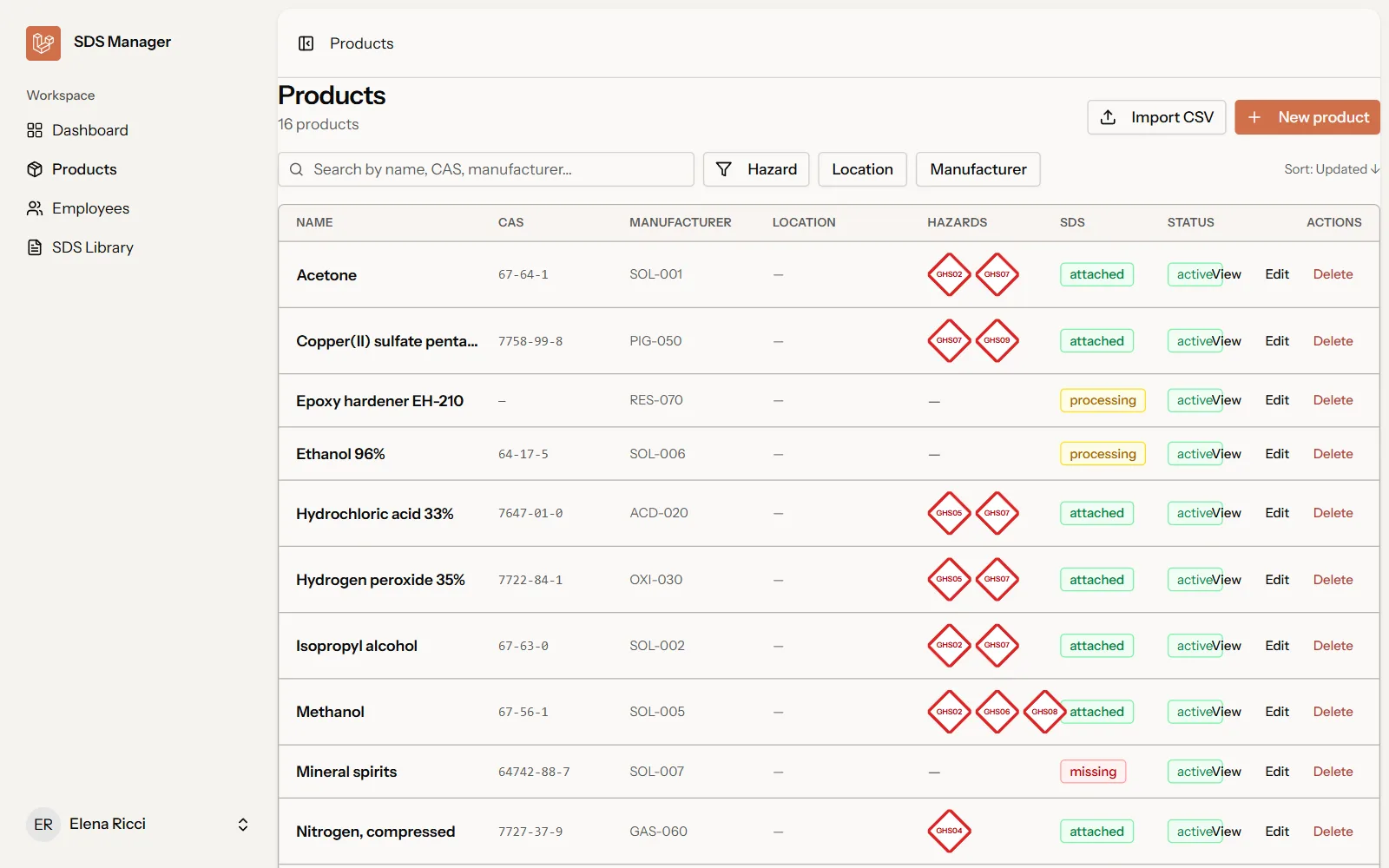 The product catalog: CAS number, detected pictograms and sheet status for every product.
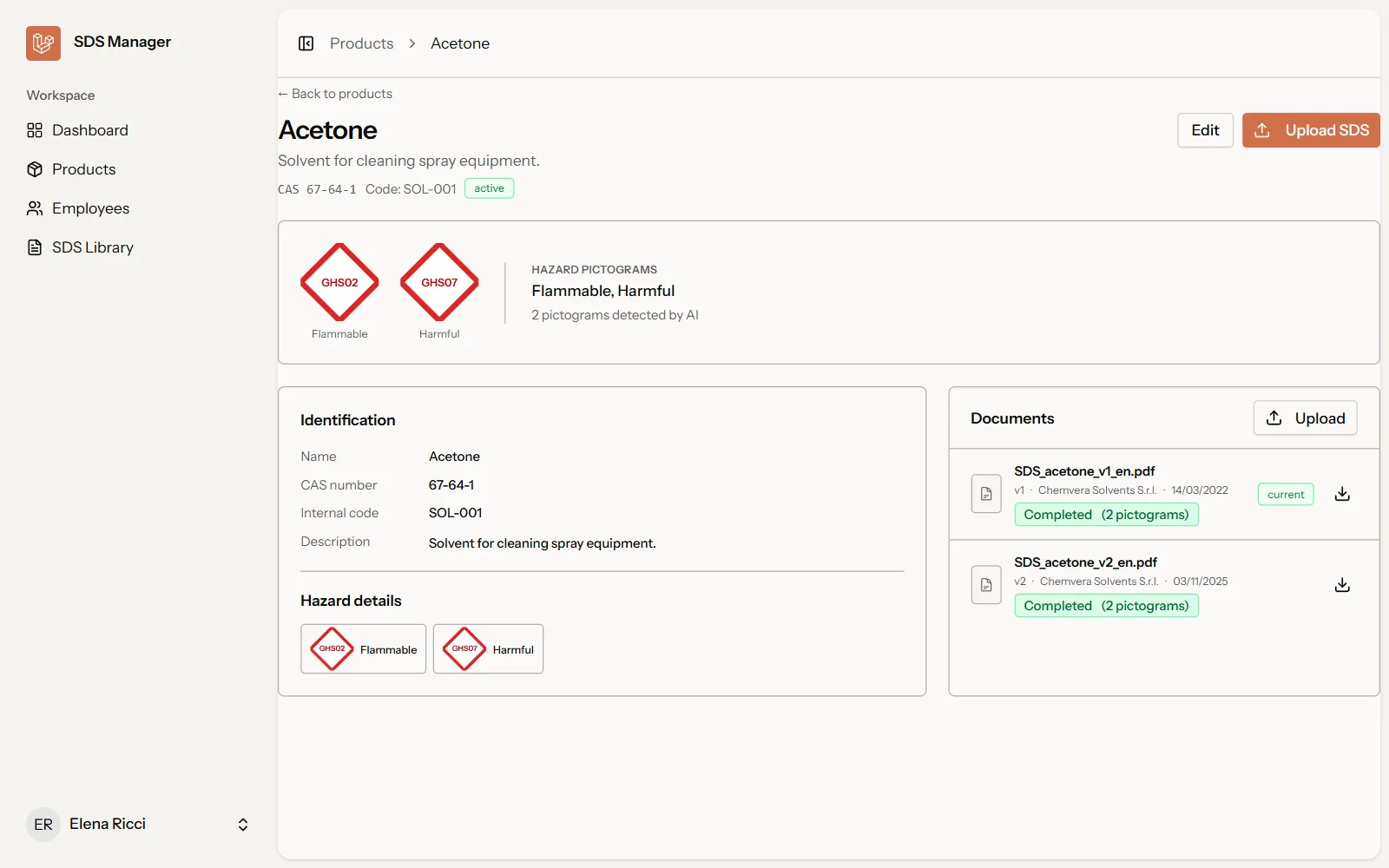 A product page: the pictograms detected by the AI and the sheet’s version history.
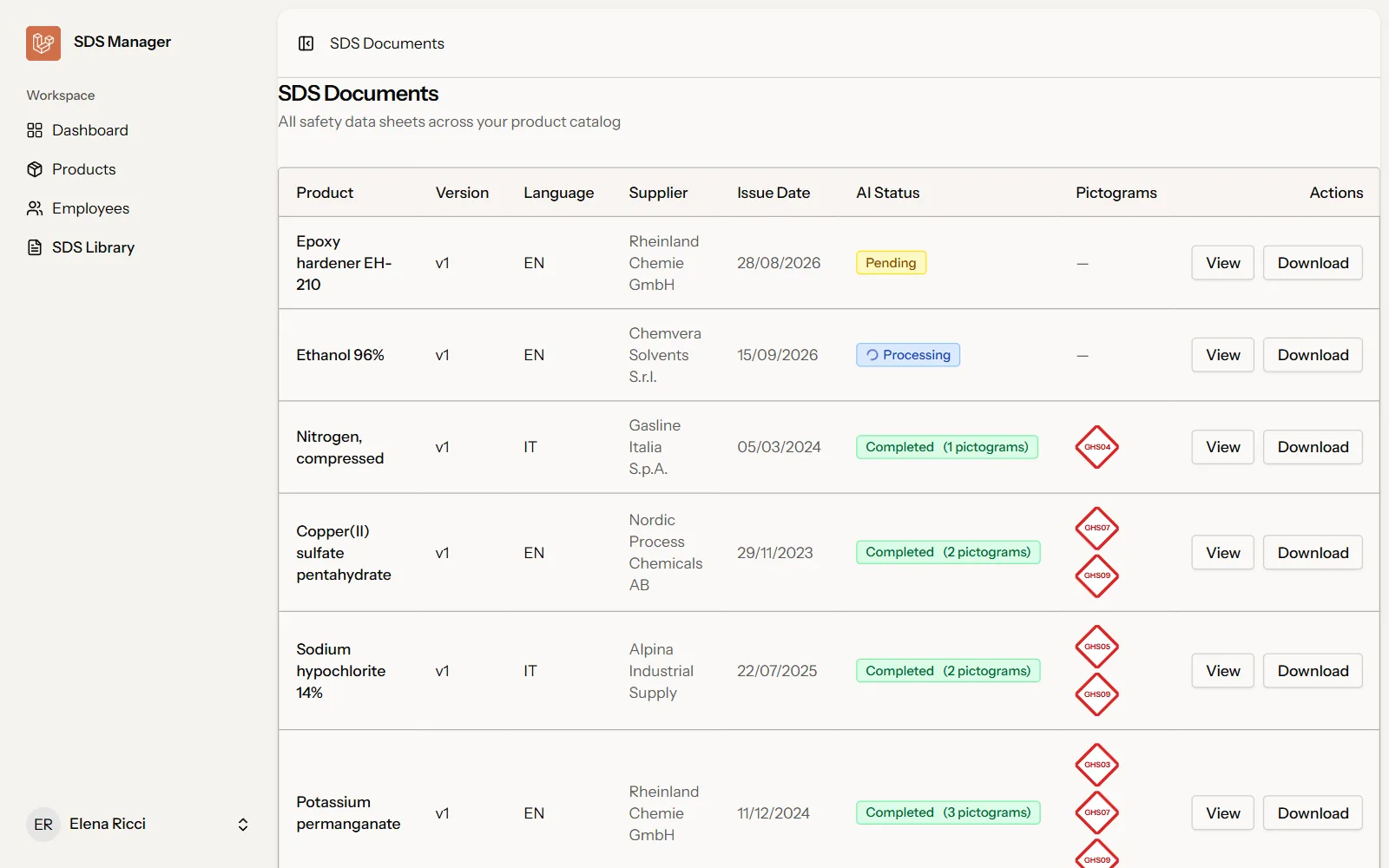 The sheet library: supplier, language and analysis status, which updates on its own.
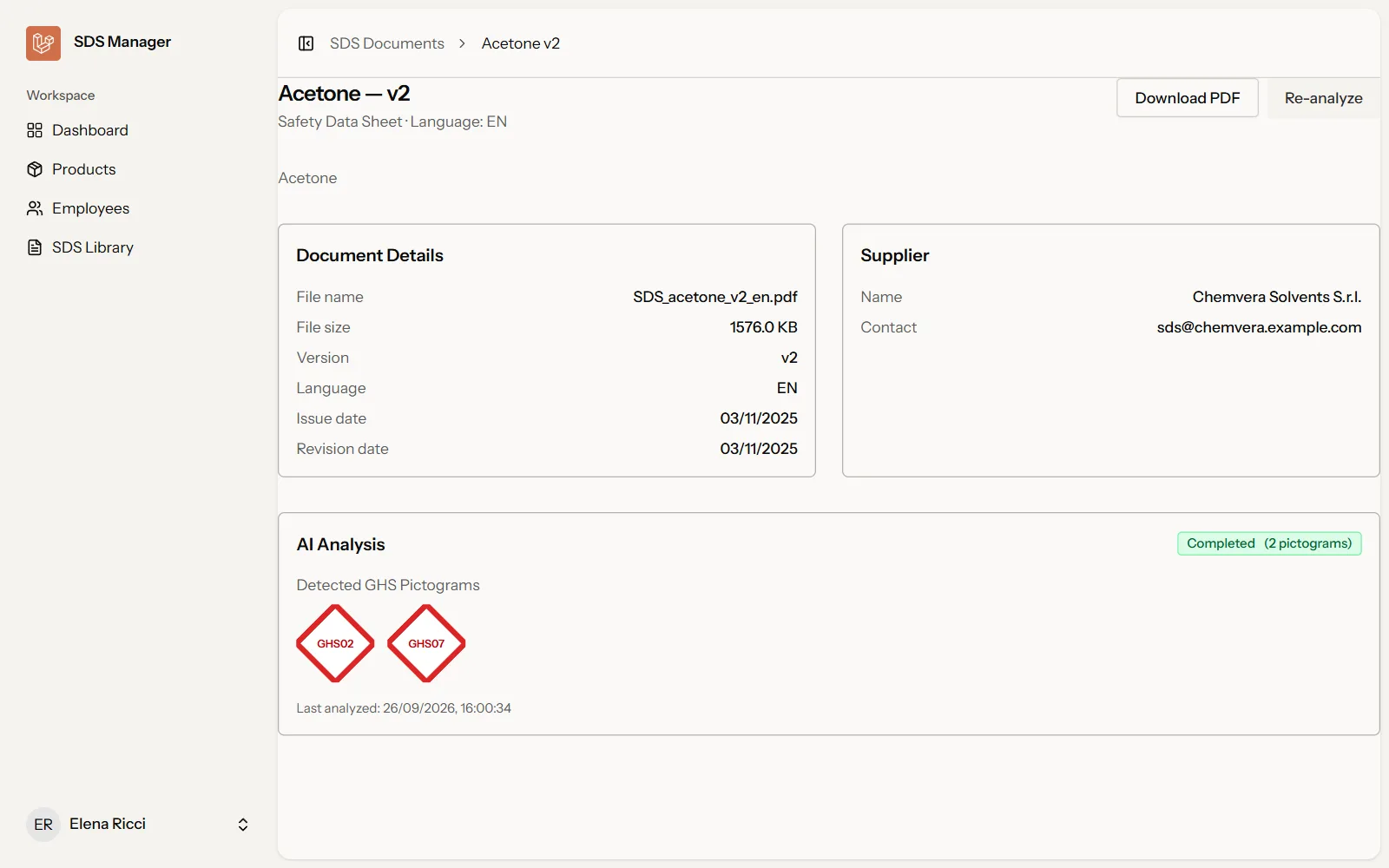 A single sheet, with the analysis result and the button to rerun it.
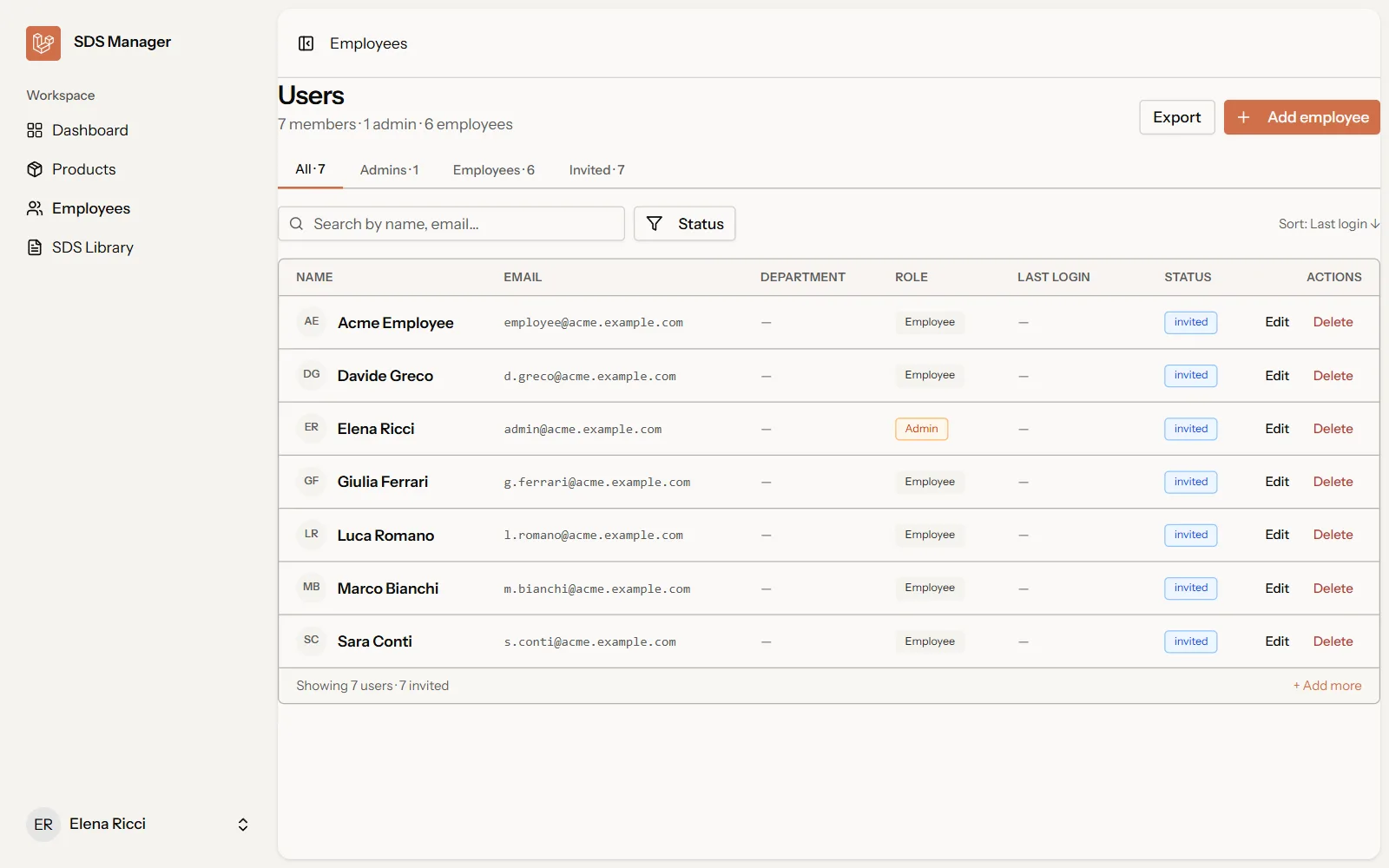 Managing the company’s employees, with roles and invitations.
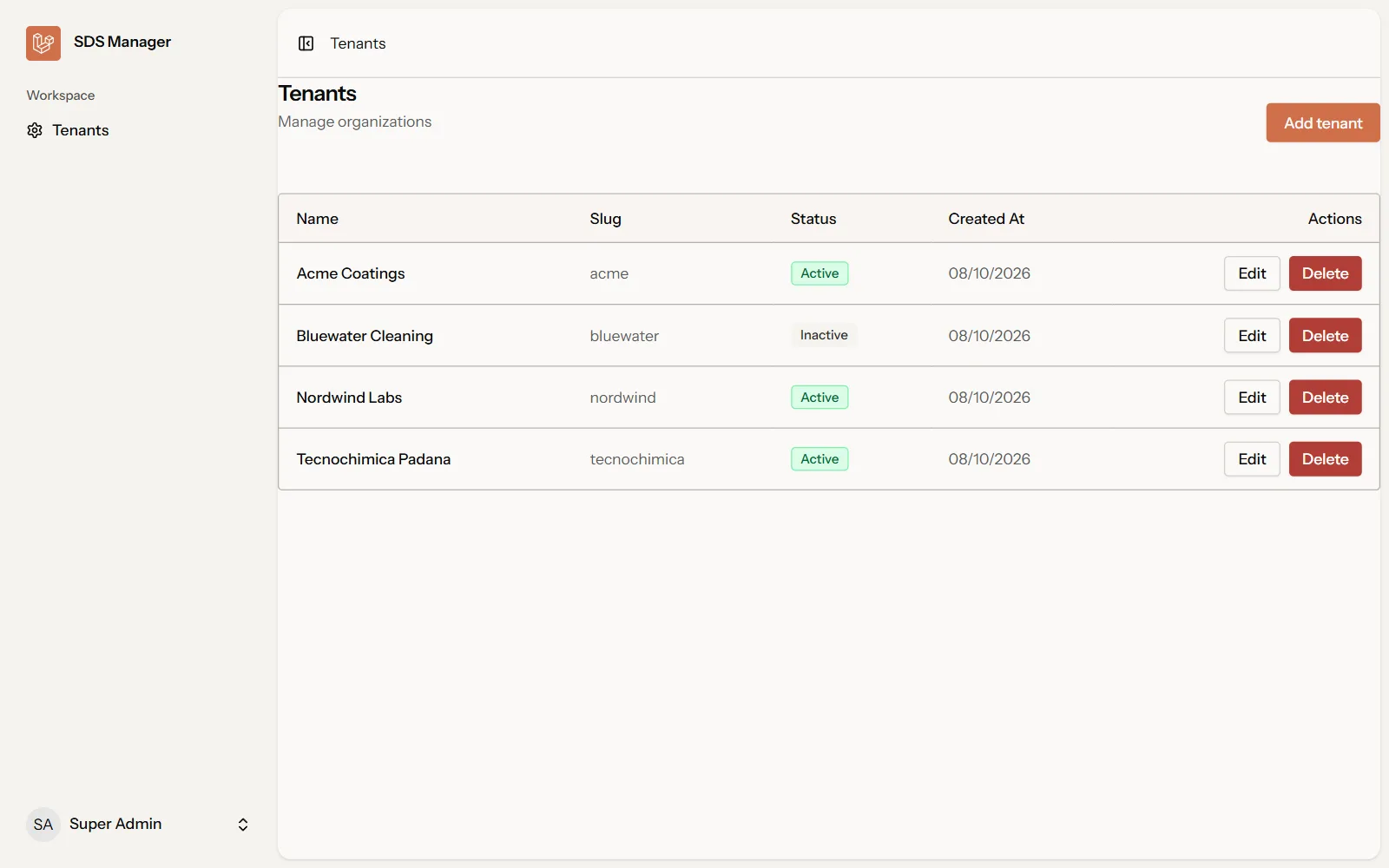 The super-admin panel, on the main domain: one company per row, each one can be switched on or off.
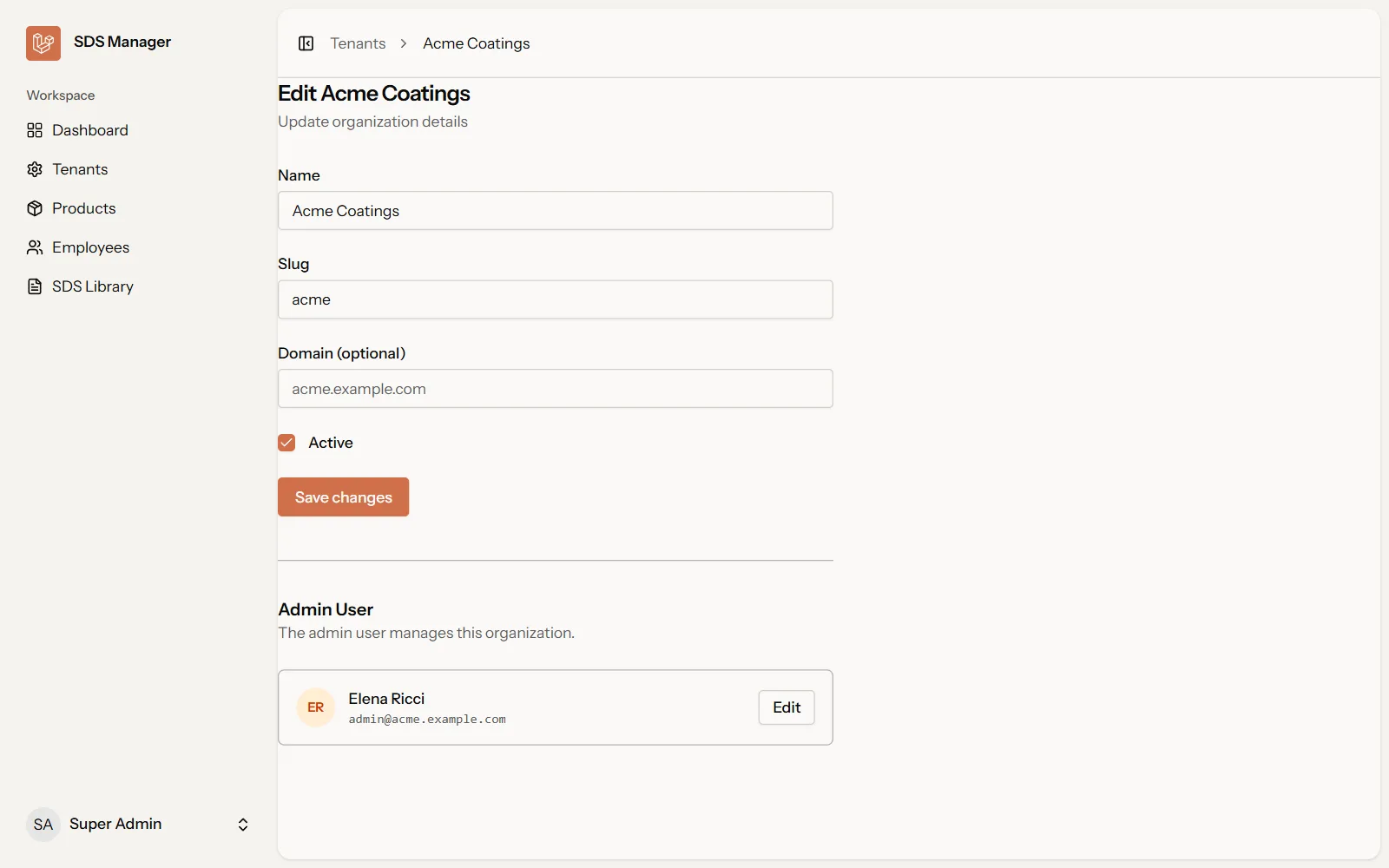 Editing a company: name, subdomain, optional domain and its administrator.
Tech stack
The backend is Laravel 13 on PHP 8.3, with Fortify for authentication (password reset and two-factor included) and a PostgreSQL database. The frontend is a React 19 app in TypeScript served through Inertia.js 3: no separate REST API to maintain, pages get their data straight from the controllers. Wayfinder generates typed TypeScript functions for every Laravel route, so a link to a route that no longer exists becomes a compile error. The interface is Tailwind CSS 4 with Radix components, and the AI calls go through the AWS SDK for PHP.
Tests are written with Pest: per-company authentication, tenant isolation, sheet upload and download, the job’s status transitions and a test of the AI response parser with a mocked Bedrock client.